

0
Categories: swearing, sexual, violence, self-harm, hate, hard drugs.
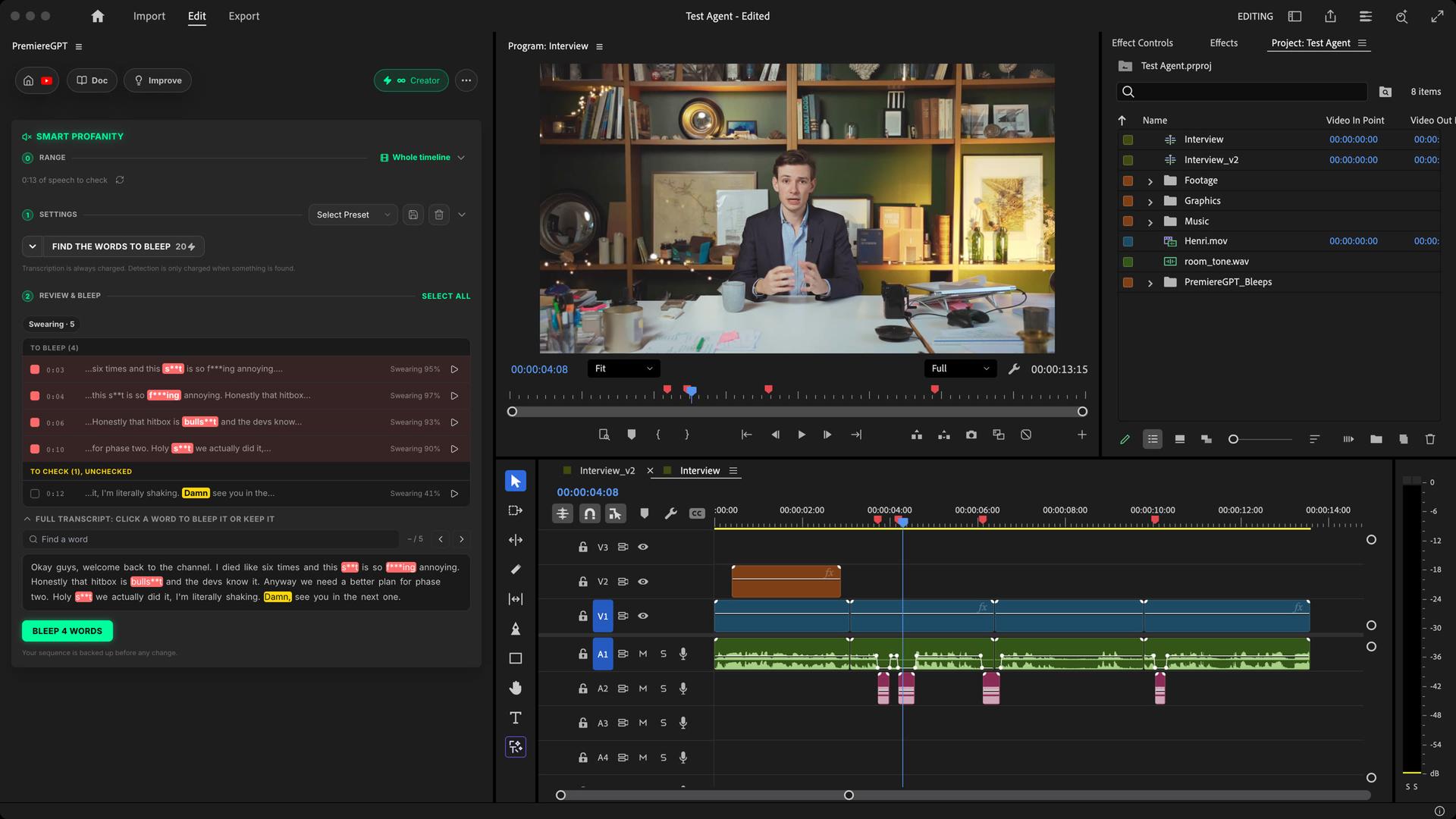
Smart Profanity transcribes your sequence, finds the words video platforms flag, judges each one in its context and bleeps or mutes only the voice on your Premiere Pro timeline. You review every word before anything changes.
Swearing, sexual terms, violence, hate, hard drugs. Each bleep lasts exactly the word, and “you killed it” stays. Music, sound effects and picture are never touched. Native to Premiere.
How it works
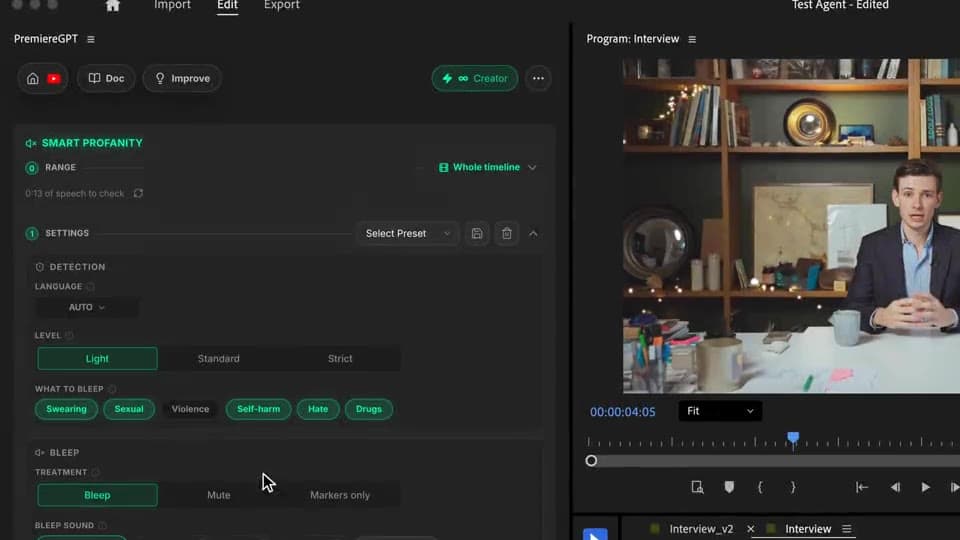
Settings
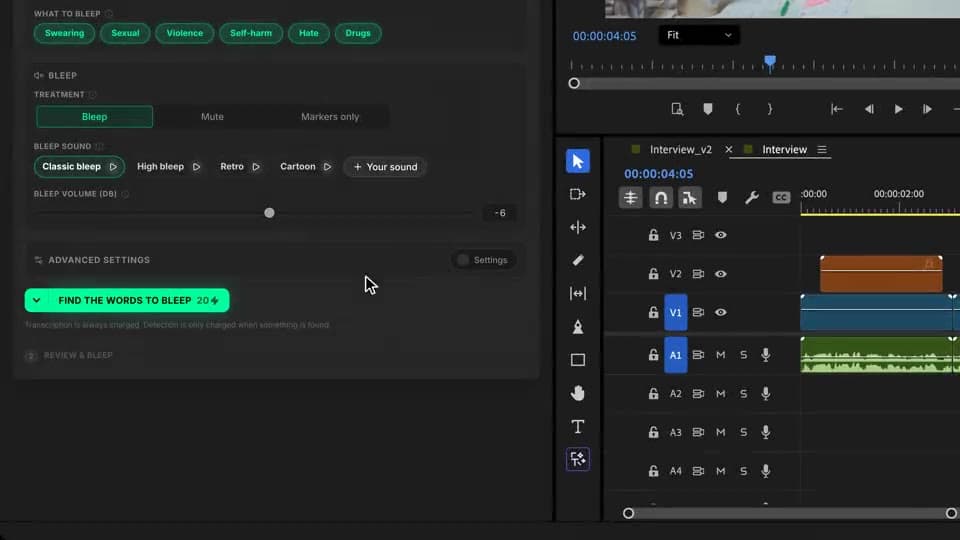
Light, Standard or Strict, the categories to catch, bleep, mute or markers only, a bleep sound and its volume. Then pick one of three transcription engines.
Live analysis
Every sentence is sorted, then every word is decided in its context. The words to bleep turn red one by one, the harmless ones stay white.
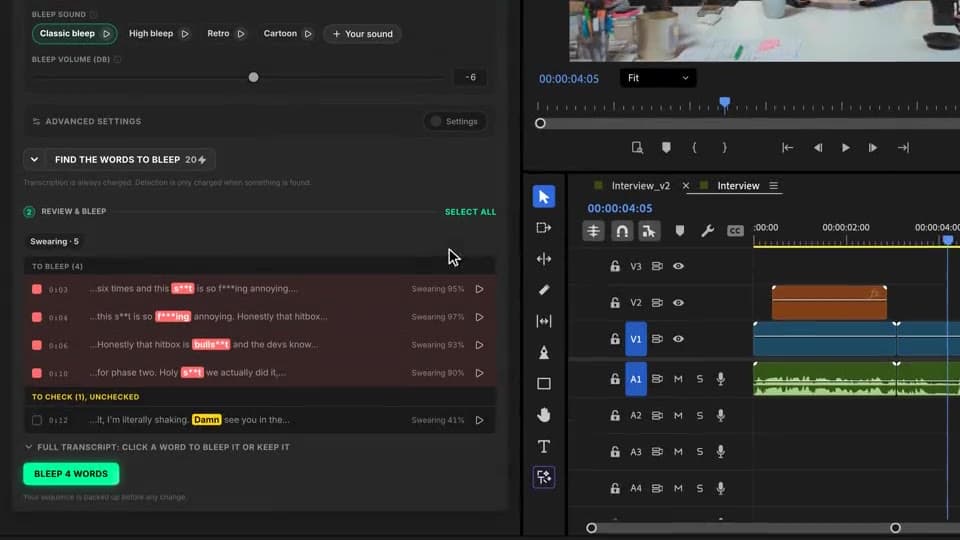
Review & bleep
Uncheck a word, listen to any bleep, add one from the transcript. Click Bleep N words: your sequence is backed up, the voice drops out and the bleeps land on the timeline.
What ships
Categories: swearing, sexual, violence, self-harm, hate, hard drugs.
Each bleep lasts exactly the word, with short fades. No clicks.
Listen to every bleep, uncheck a word or bleep one from the transcript before anything changes.
From a casual vlog to kids and brand content. “Always” and “never” lists for your own words.
Only the voice is muted. Music, sound effects and picture keep playing.
Stack the rest
Plain-English prompts that edit your real timeline.
Learn moreMotion design generated from a single prompt.
Learn moreAny GenAI model, native in Premiere. By Fal.AI.
Learn moreWord-by-word, animated captions in 99 languages.
Learn moreActive speaker detection, multicam autocut.
Learn moreAuto-detect silences and tighten the edit.
Learn moreRemoves bad takes & repetitions, follows your script.
Learn moreTurn 1h of content into 10 vertical viral clips.
Learn more0 spelling mistakes. GPT-5 corrected, native subtitles.
Learn moreAnimated MoGRT chapters from a single prompt.
Learn more1 audio → speaker-by-speaker tracks.
Learn moreEmotion-driven V2 zoom clips, generated.
Learn moreAI sound effects, placed on your timeline.
Learn moreSpell check every text on your timeline.
Learn moreAI kinetic text, from your own words.
Learn moreSafe zone guides for every feed.
Learn moreEvery short, exported in 1 click.
Learn morePro easing on your clips, in one click.
Learn moreAny emoji, placed on your timeline.
Learn moreAI color grading, matched shot to shot.
Learn moreAI audio mixing for your whole timeline.
Learn moreBeat markers, placed on your music.
Learn moreYour b-roll, placed where it fits.
Learn moreYour clipboard, on the timeline.
Learn moreNew files, imported on their own.
Learn more
FAQ
It transcribes your sequence, finds the words video platforms flag (swearing, sexual terms, violence, self-harm, hate, hard drugs) and bleeps them, mutes them or just adds a marker on each one. Only the voice tracks change: music, sound effects and picture keep playing.
No. Every word is judged in its sentence. Idioms, compliments, a first name that sounds like a swear word or “I killed the boss” in a gaming video stay audible. A real threat gets bleeped.
Yes. Nothing is touched until you click Bleep N words. You check or uncheck each word, listen to it with its bleep, search the full transcript to bleep a word yourself, and set a word to always or never be bleeped. Your sequence is backed up before anything is applied.
You pick the level: Light bleeps only what is clearly offensive, Standard what platforms and advertisers usually flag, Strict also catches borderline words for kids or brand content. You also choose which of the six categories to bleep.
Four built-in sounds (classic, high, retro, cartoon) or any audio file you import, from -20 to +6 dB. Each bleep lasts exactly the length of the word, with short fades so it never clicks.
The language is detected automatically, or you set it yourself. Every language works, including Japanese, Korean and Hindi, and you choose between three transcription engines, from the fastest to the most faithful on slang and accents.
Works natively in Premiere Pro and DaVinci Resolve, on macOS (Intel and Apple Silicon) and Windows.