
0
Controls set per shot: exposure, temperature, tint, contrast, whites, blacks, highlights, shadows, saturation.
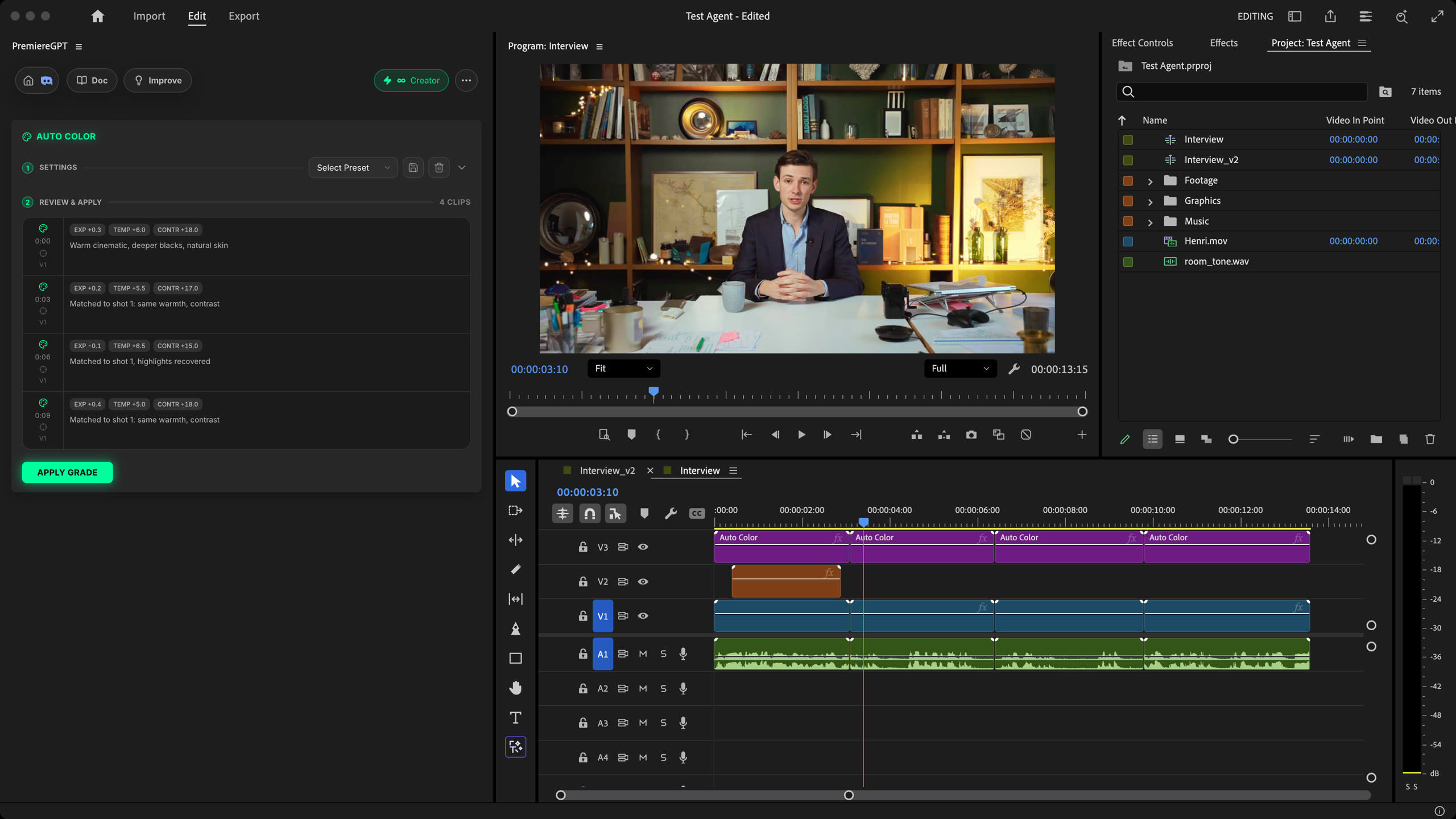
Auto Color is an AI colorist for your Premiere Pro timeline. It corrects exposure, white balance and contrast, adds the look you describe and matches shots of the same scene. You review every grade before it is applied.
Describe the look, check the grade clip by clip, apply it in 1 click. Cuts that don't jump, skin that stays natural. Native to Premiere.
How it works
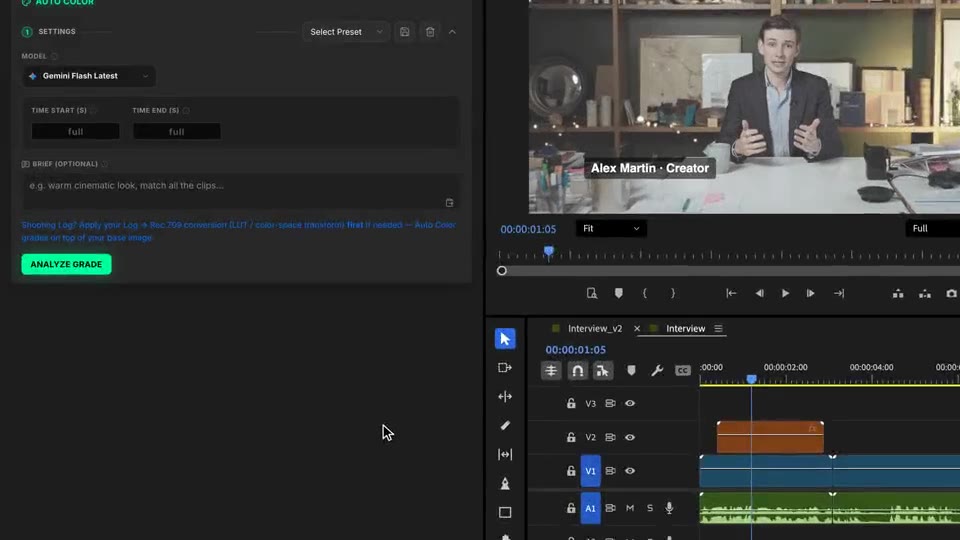
Brief
A mood, a palette, how far to push it. Leave it empty for a clean, natural correction.
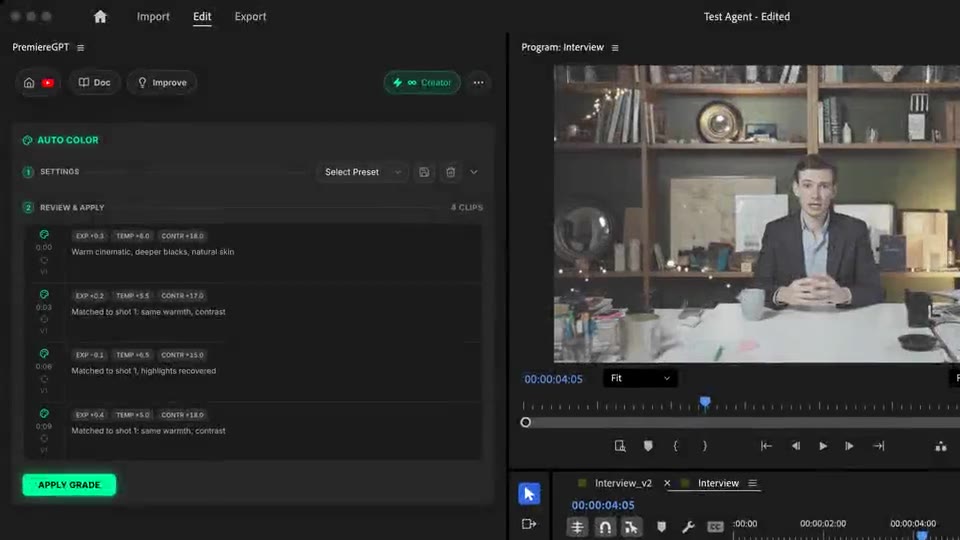
Review & apply
One frame per source is read, shots of the same scene are grouped and each clip gets its grade. Review exposure, temperature, contrast and look, then apply.
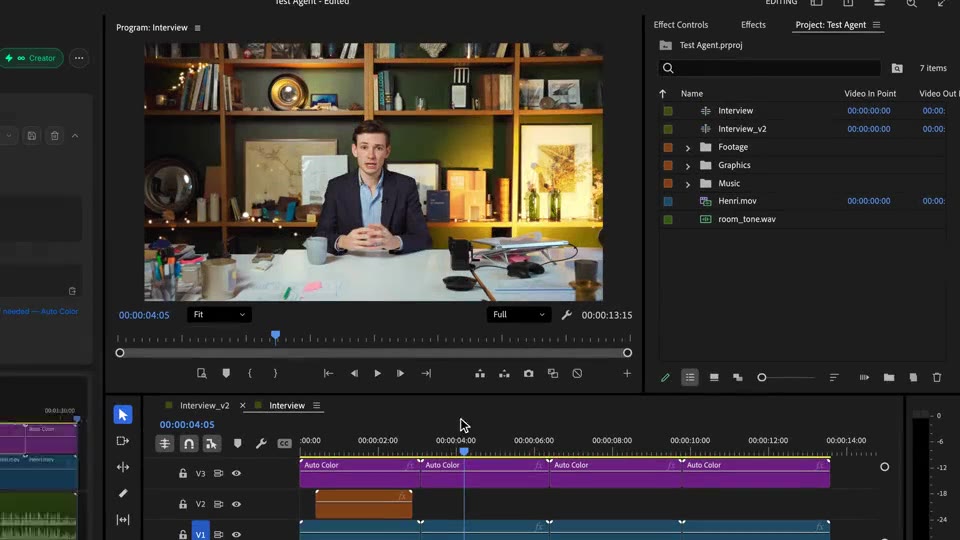
Compare
Shots of the same scene share one look, so your cuts don't jump. The grade stays standard color correction: retune a shot or remove it.
What ships
Controls set per shot: exposure, temperature, tint, contrast, whites, blacks, highlights, shadows, saturation.
Read per source, not per clip. A source used 8 times is graded once, consistently.
See the grade of every clip before anything touches your timeline.
Shots of the same scene share one look. Different lighting setups stay distinct.
Standard, editable color correction. Nothing is baked into your media.
Stack the rest
Plain-English prompts that edit your real timeline.
Learn moreMotion design generated from a single prompt.
Learn moreAny GenAI model, native in Premiere. By Fal.AI.
Learn moreWord-by-word, animated captions in 99 languages.
Learn moreActive speaker detection, multicam autocut.
Learn moreAuto-detect silences and tighten the edit.
Learn moreRemoves bad takes & repetitions, follows your script.
Learn moreTurn 1h of content into 10 vertical viral clips.
Learn more0 spelling mistakes. GPT-5 corrected, native subtitles.
Learn moreAnimated MoGRT chapters from a single prompt.
Learn more1 audio → speaker-by-speaker tracks.
Learn moreEmotion-driven V2 zoom clips, generated.
Learn moreAI sound effects, placed on your timeline.
Learn moreSpell check every text on your timeline.
Learn moreAI kinetic text, from your own words.
Learn moreSafe zone guides for every feed.
Learn moreEvery short, exported in 1 click.
Learn morePro easing on your clips, in one click.
Learn moreAny emoji, placed on your timeline.
Learn moreAI audio mixing for your whole timeline.
Learn moreBeat markers, placed on your music.
Learn moreYour b-roll, placed where it fits.
Learn moreYour clipboard, on the timeline.
Learn moreNew files, imported on their own.
Learn more
FAQ
It reads one frame of every source in your timeline, groups the shots that belong to the same scene, then grades each one: exposure, white balance and contrast first, a creative look on top. Matched shots share one look, so your cuts don't jump.
On adjustment layers placed on an empty video track above your clips. Your clips stay untouched: hide or delete that track to compare or remove the grade.
Yes. Analysis and application are separate. You see every clip with its exposure, temperature, contrast and look, then click Apply Grade.
Apply your Log to Rec.709 conversion (LUT or color space transform) first. Auto Color grades on top of the image it is given.
A mood, a palette or a reference ("warm cinematic look, match all the clips"), a known problem, or how far to push it. It is a primary grade: no masks, no power windows, no LUT by name.
Works natively in Premiere Pro, on macOS (Intel and Apple Silicon) and Windows.