0
Marker layers: bars, beats and sections.
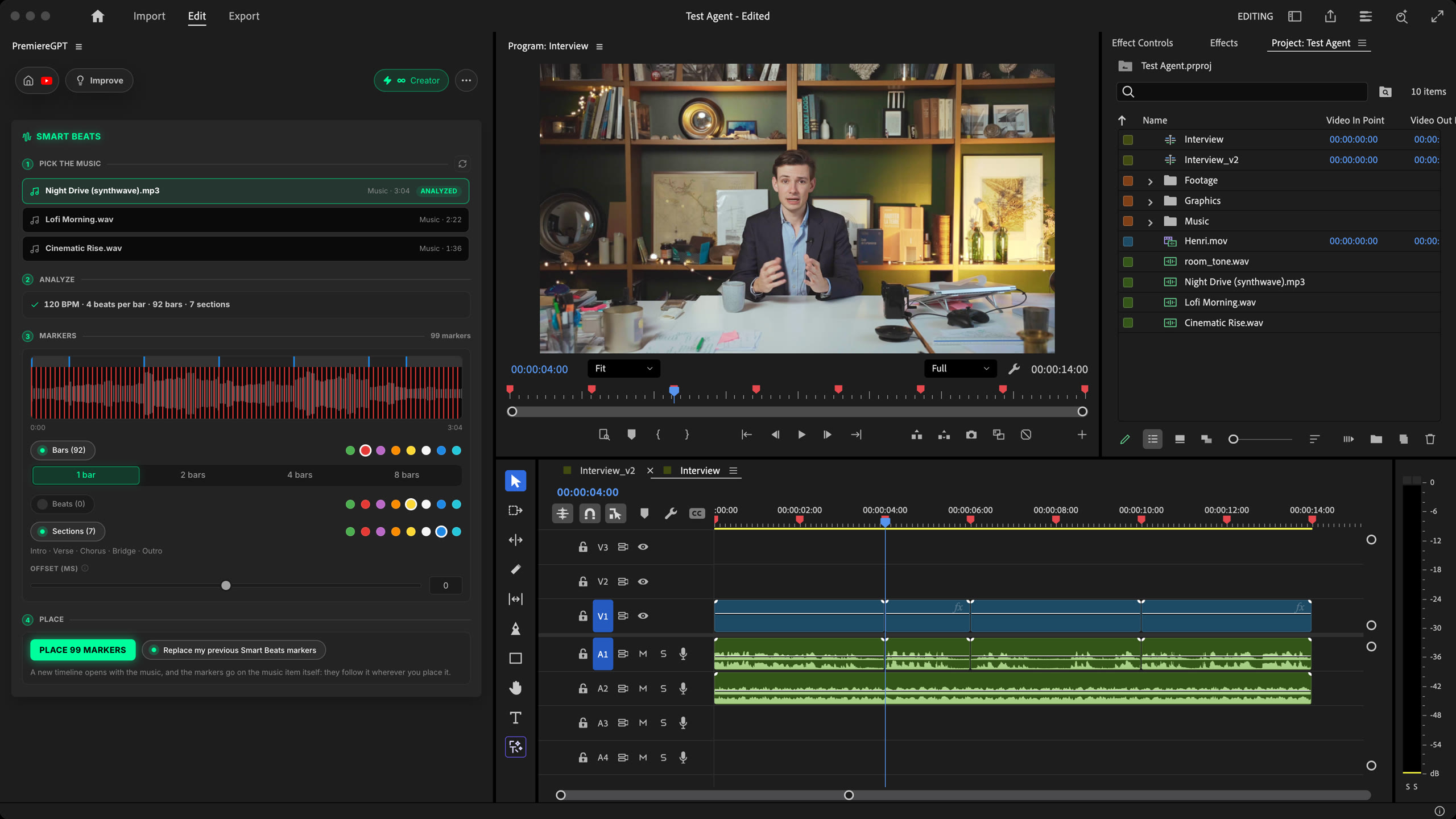
Smart Beats analyzes a music track from your project, detects its tempo, beats, bars and sections, then opens it in a new Premiere Pro timeline with colored markers on all of them.
Stop tapping M while the track plays. Pick the music, choose what to mark and in which color, place every marker in 1 click. Native to Premiere.
How it works
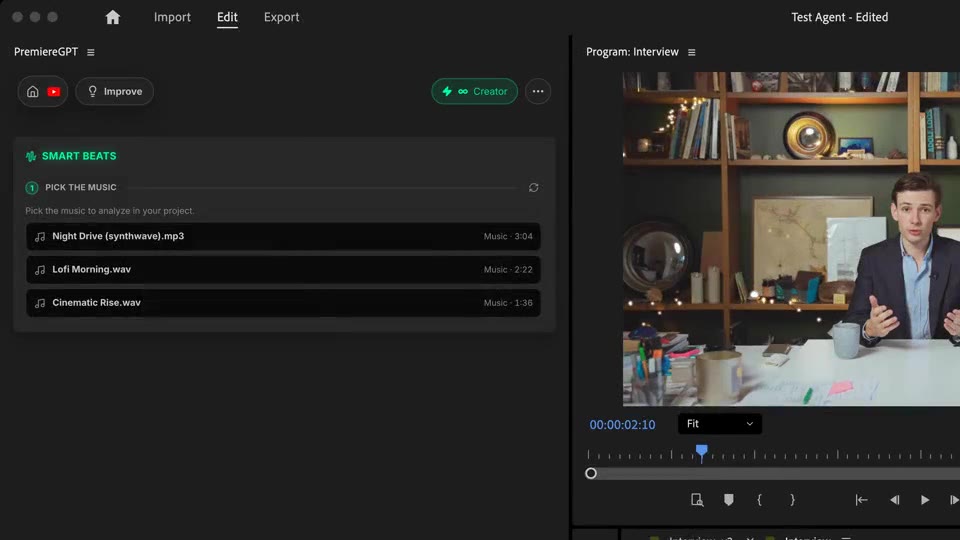
Analyze
Choose a track from your project and analyze it: tempo, beats per bar, bars and sections come back in seconds.
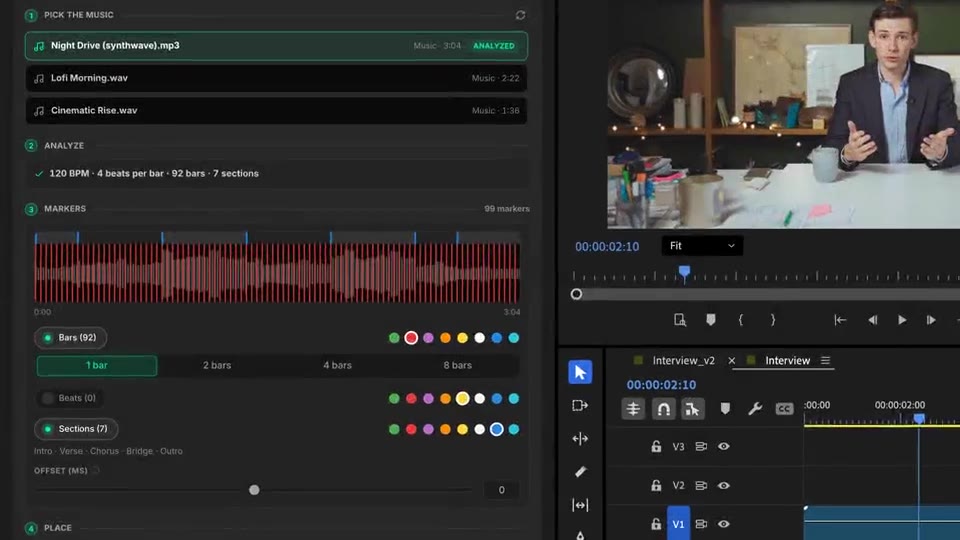
Markers
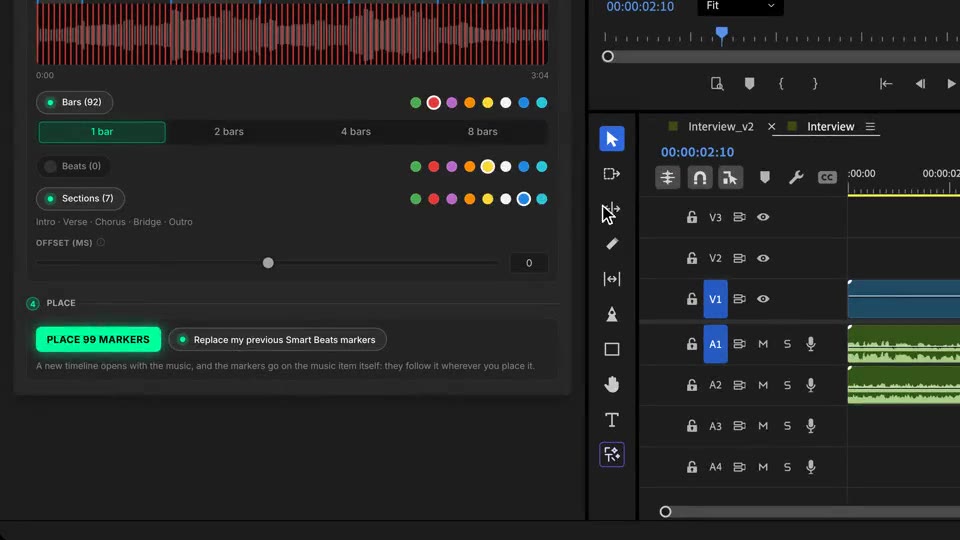
Bars every 1, 2, 4 or 8, strong beats, every beat or half beats, sections. One color per layer, live preview on the waveform.
Place
A new timeline opens with the music, markers on its bars and sections. They stay on the music wherever you use it.
What ships
Marker layers: bars, beats and sections.
Offset to cut slightly before or after the beat.
Colors per layer, so bars, beats and choruses read at a glance.
One analysis per track. Open the same track again: it loads instantly, for free.
Markers live on the music item. Drop it in any timeline, they follow.
Stack the rest
Plain-English prompts that edit your real timeline.
Learn moreMotion design generated from a single prompt.
Learn moreAny GenAI model, native in Premiere. By Fal.AI.
Learn moreWord-by-word, animated captions in 99 languages.
Learn moreActive speaker detection, multicam autocut.
Learn moreAuto-detect silences and tighten the edit.
Learn moreRemoves bad takes & repetitions, follows your script.
Learn moreTurn 1h of content into 10 vertical viral clips.
Learn more0 spelling mistakes. GPT-5 corrected, native subtitles.
Learn moreAnimated MoGRT chapters from a single prompt.
Learn more1 audio → speaker-by-speaker tracks.
Learn moreEmotion-driven V2 zoom clips, generated.
Learn moreAI sound effects, placed on your timeline.
Learn moreSpell check every text on your timeline.
Learn moreAI kinetic text, from your own words.
Learn moreSafe zone guides for every feed.
Learn moreEvery short, exported in 1 click.
Learn morePro easing on your clips, in one click.
Learn moreAny emoji, placed on your timeline.
Learn moreAI color grading, matched shot to shot.
Learn moreAI audio mixing for your whole timeline.
Learn moreYour b-roll, placed where it fits.
Learn moreYour clipboard, on the timeline.
Learn moreNew files, imported on their own.
Learn more

FAQ
It analyzes a music track from your project, finds its tempo, every beat, every bar and its sections (intro, verse, chorus, bridge, outro), then opens it in a new timeline with colored markers on all of them. You cut on the beat instead of tapping M by ear.
On the music item itself, not on one sequence. They follow the music wherever you place it, in any timeline.
Three layers, each with its own color among 8: bars (every 1, 2, 4 or 8 bars), beats (strong beats, every beat or half beats) and sections. An offset from -200 to +200 ms lets you cut slightly before the beat.
The analysis uses credits once per track, and only when it succeeds. It is saved in your project index: the next time you open the same track, it loads instantly and costs nothing. Placing markers is always free.
From 10 seconds to 10 minutes per track. Short jingles and sound effects are left out of the list.
Works in Premiere Pro and DaVinci Resolve, on macOS (Intel and Apple Silicon) and Windows.