
0
AI trigger options. Combine for maximum control.
Auto Zoom adds AI-driven zoom effects on emotion, speech or cut frequency inside Adobe Premiere Pro. Non-destructive on V2/V3, fully customisable, native edits. Free.
AI triggers zooms on emotion, speech intensity, or cut frequency. Fully customisable speed, position, intensity. Free, native to Premiere.
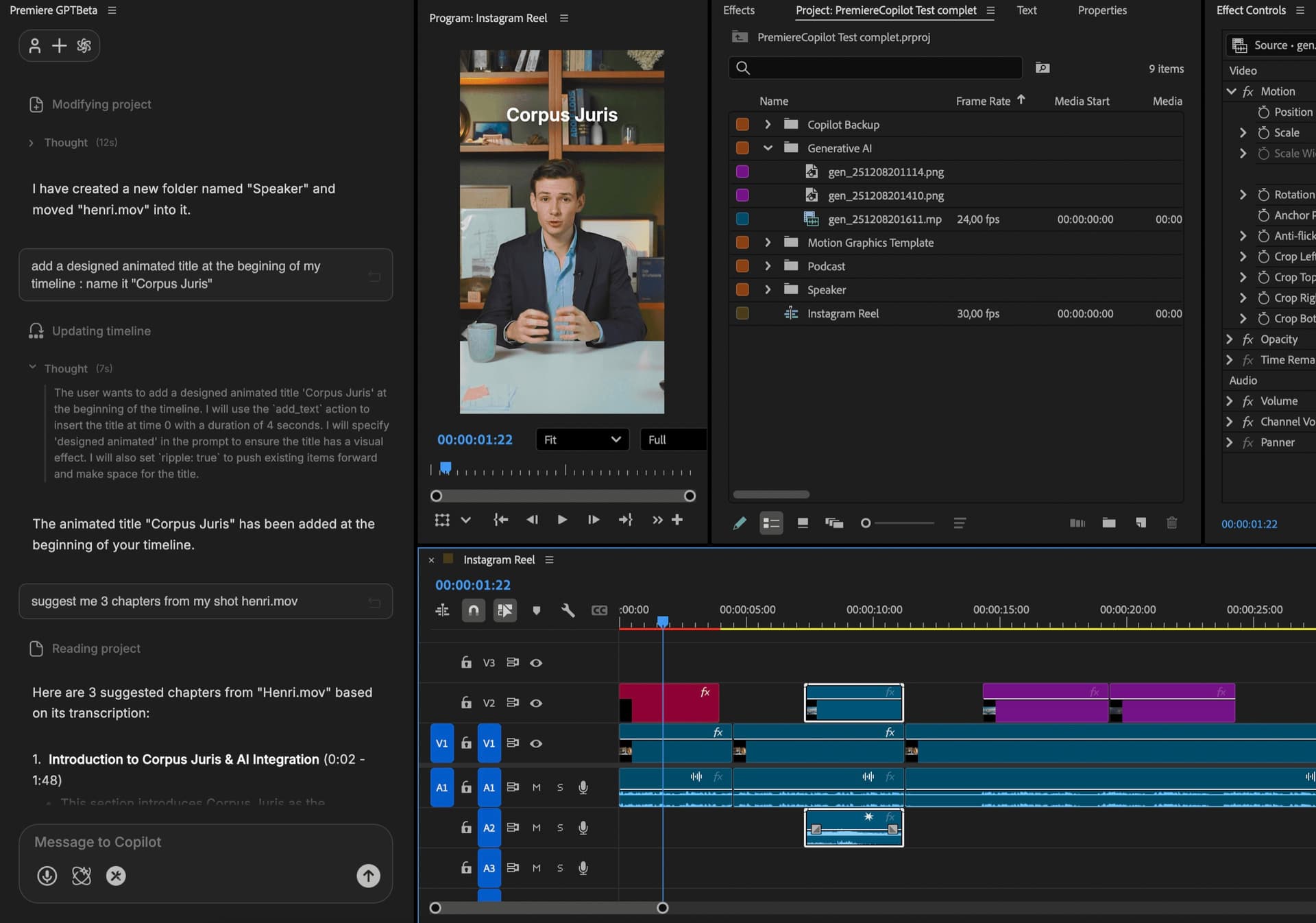
How it works
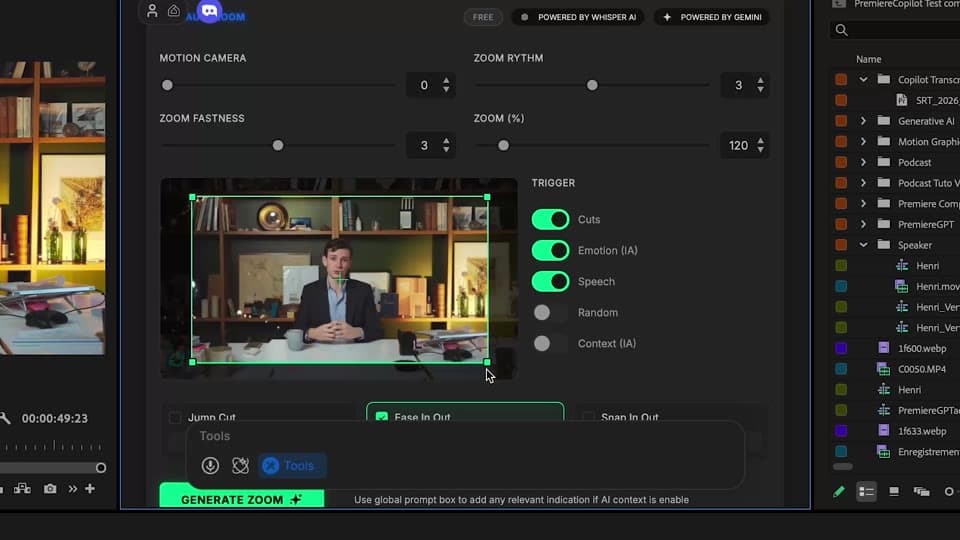
Settings
Customize zoom speed, position, intensity, sound-in/sound-out, and quantity. Add a context prompt to steer the AI's decisions.
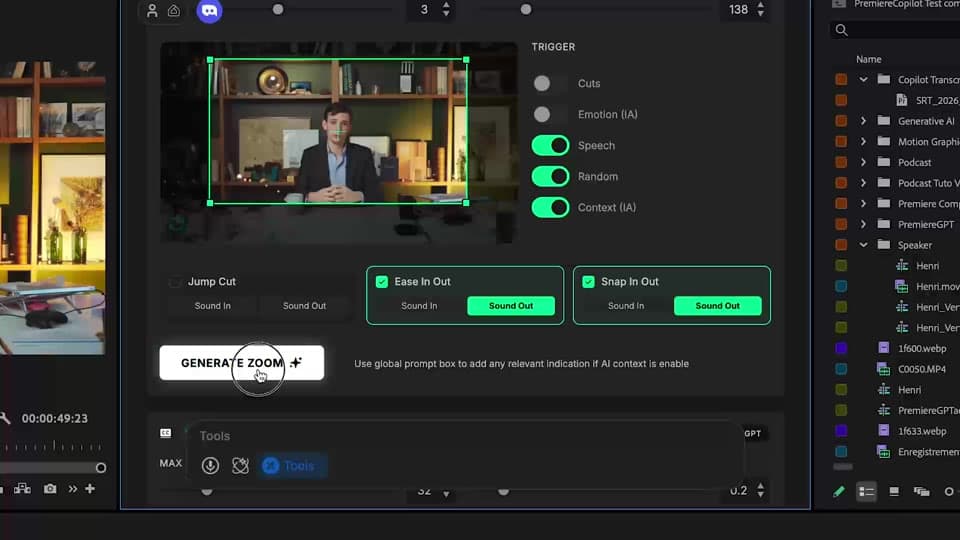
Triggers
Emotion detection, speech intensity, cut frequency, transcript keywords, manual markers. Mix and match per project.
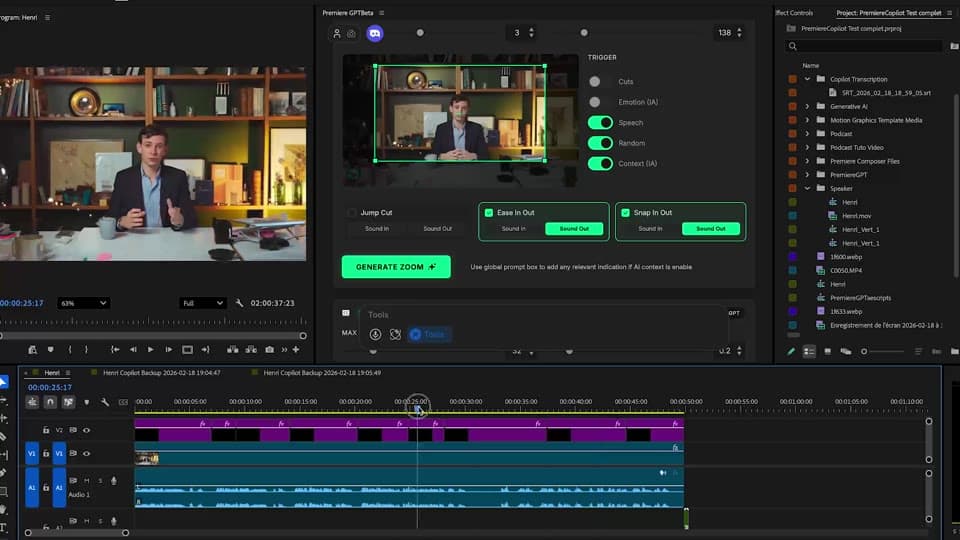
Generate
All zoom effects land as native effect clips on V2/V3. Tweak any one of them like any other Premiere effect.
What ships
AI trigger options. Combine for maximum control.
Free with daily quota. Pro+ at $7.99/mo.
Most advanced emotion detection algorithm in any Premiere plugin.
Effect layers on V2/V3. Source clips on V1 stay untouched.
Native effect clips. Tweak any one.
Stack the rest
Plain-English prompts that edit your real timeline.
Learn moreMotion design generated from a single prompt.
Learn moreAny GenAI model, native in Premiere. By Fal.AI.
Learn moreWord-by-word, animated captions in 99 languages.
Learn moreActive speaker detection, multicam autocut.
Learn moreAuto-detect silences and tighten the edit.
Learn moreRemoves bad takes & repetitions, follows your script.
Learn moreTurn 1h of content into 10 vertical viral clips.
Learn more0 spelling mistakes. GPT-5 corrected, native subtitles.
Learn moreAnimated MoGRT chapters from a single prompt.
Learn more1 audio → speaker-by-speaker tracks.
Learn more
FAQ
Choose from 5 AI options: emotion detection (excitement, surprise), speech intensity (loud moments), cut frequency, transcript keywords, or manual markers. Combine triggers per project.
Yes. Set max zoom amount, speed, easing, sound-in/sound-out, and position. Save as a preset.
No. Auto Zoom places effect layers on V2/V3, leaving V1 untouched. Toggle them off, tweak, or delete — your source stays clean.
Best on dialogue, vlogs, podcasts, reactions. Less useful on B-roll-heavy edits where zoom would feel out of place.
Yes. Add a prompt — 'this is a horror trailer, zoom only on tense moments' — and the AI respects it.
Premiere Pro 2022 and later, on macOS (Intel + Apple Silicon) and Windows.