
Every text
Captions, native titles and editable motion graphics text.
Spelling reads every text of your active Premiere Pro sequence (captions, titles, motion graphics), detects the language and lists spelling and grammar fixes with their timecodes. It never overwrites your text.
A typo in a title is the comment you never want to read. Add the names to protect, run the check, jump to each mistake and fix it in place. Native to Premiere.
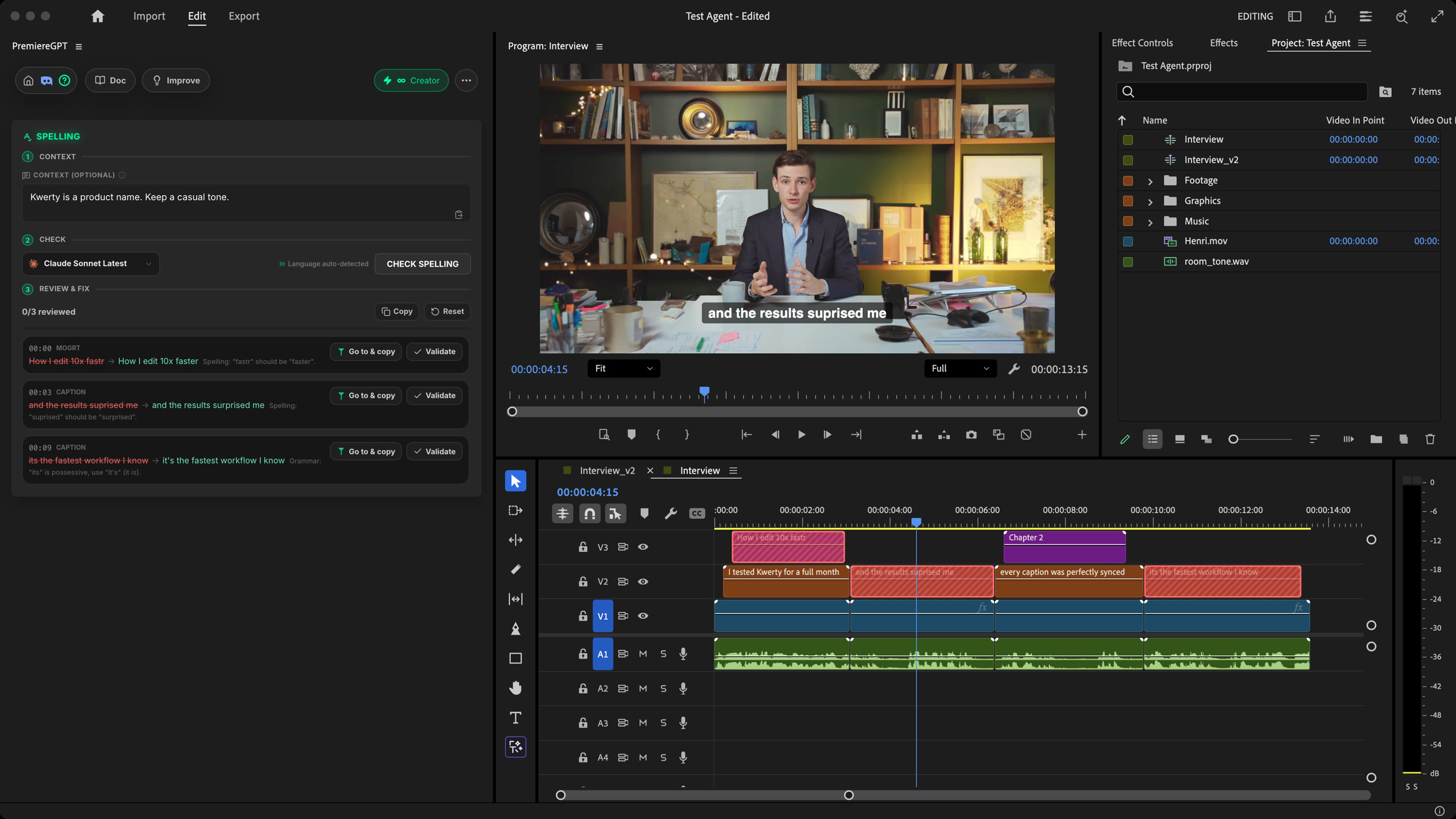
How it works
Context
List the brand names, people and products to protect, and any style rule. They will not come back as false mistakes.
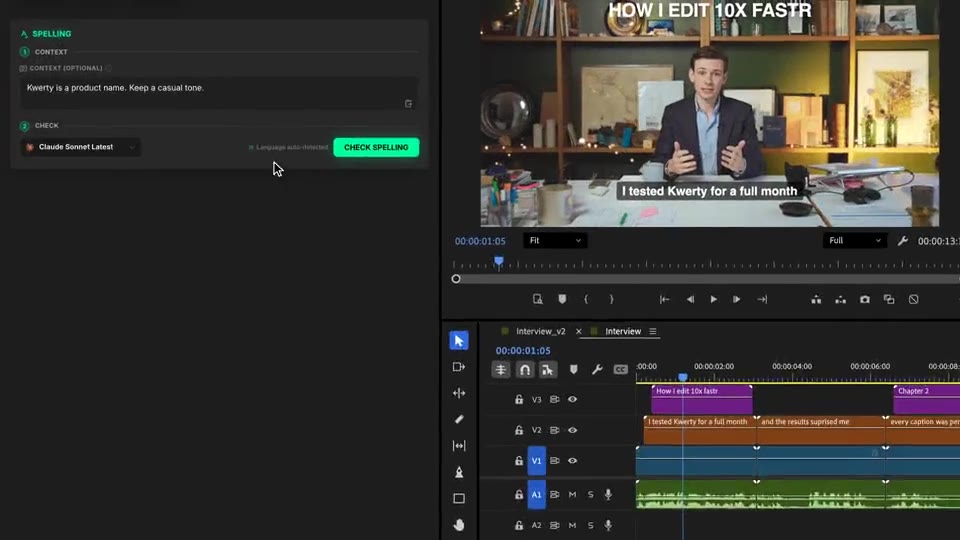
Check
Click Check spelling. It reads the sequence, detects the language and lists each fix with its timecode, the original and why.
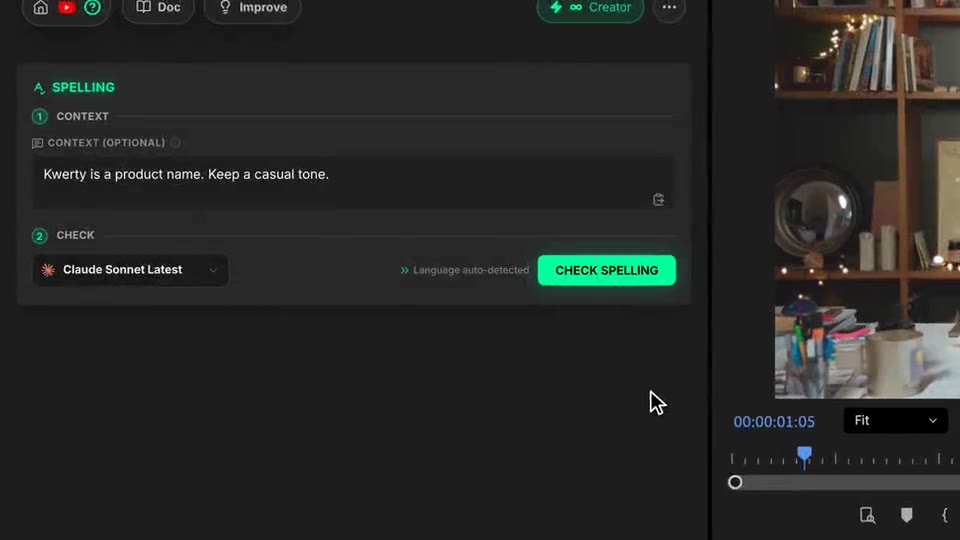
Review & fix
Go to & copy moves the playhead to the text and copies the fix. Paste it, keep your exact styling, then mark it as validated.
What ships
Captions, native titles and editable motion graphics text.
Nothing is overwritten. Fonts, animation and formatting stay yours.
The language of your texts is detected for you.
Brands, people and products listed in Context are never flagged.
Each fix with its timecode. Click a line and the playhead goes there.
Stack the rest
Plain-English prompts that edit your real timeline.
Learn moreMotion design generated from a single prompt.
Learn moreAny GenAI model, native in Premiere. By Fal.AI.
Learn moreWord-by-word, animated captions in 99 languages.
Learn moreActive speaker detection, multicam autocut.
Learn moreAuto-detect silences and tighten the edit.
Learn moreRemoves bad takes & repetitions, follows your script.
Learn moreTurn 1h of content into 10 vertical viral clips.
Learn more0 spelling mistakes. GPT-5 corrected, native subtitles.
Learn moreAnimated MoGRT chapters from a single prompt.
Learn more1 audio → speaker-by-speaker tracks.
Learn moreEmotion-driven V2 zoom clips, generated.
Learn moreAI sound effects, placed on your timeline.
Learn moreAI kinetic text, from your own words.
Learn moreSafe zone guides for every feed.
Learn moreEvery short, exported in 1 click.
Learn morePro easing on your clips, in one click.
Learn moreAny emoji, placed on your timeline.
Learn moreAI color grading, matched shot to shot.
Learn moreAI audio mixing for your whole timeline.
Learn moreBeat markers, placed on your music.
Learn moreYour b-roll, placed where it fits.
Learn moreYour clipboard, on the timeline.
Learn moreNew files, imported on their own.
Learn more
FAQ
Every text of your active sequence: captions, native titles and the editable text inside motion graphics. It lists spelling and grammar mistakes with their timecode, the original, the suggested fix and a short explanation.
No. Corrections stay suggestions. Click Go to & copy to jump to the text and copy the fix, paste it yourself, then mark the line as validated. Your typography, animation and formatting stay exactly as they are.
The language is detected automatically from your texts, so there is nothing to pick.
Use the Context field before the check. List brand names, people, places and products, and any writing rule to follow, like a casual tone or inclusive writing.
Only a few, depending on how much text the sequence holds. The panel shows the cost before you run.
Works natively in Premiere Pro, on macOS (Intel and Apple Silicon) and Windows.