Can Claude edit video in Premiere Pro? Yes. With the right plugin you can type a plain-English instruction — "cut every silence, then caption the whole thing" — and Claude carries it out as real, undoable edits on your Premiere Pro timeline. On its own, Claude is a chat model: it can't open Premiere, move a clip, or render a sequence. What turns it into a video editor is a native bridge that connects Claude (Anthropic's AI) to Adobe Premiere Pro and translates your prompt into timeline operations.
This guide explains, in plain terms, what Claude in Premiere Pro actually means in 2026, the three ways to connect them, and a setup you can finish in under five minutes. We'll compare Claude with GPT and Gemini for editing, look at what you can realistically get done, and answer the questions editors ask most.
The short version: the fastest way to use Claude inside Premiere Pro today is PremiereCopilot — a native plugin where you pick Claude as your model and chat to edit your timeline. It's free to start, and every edit lands as a real Premiere operation you can undo.
What is Claude — and why editors want it inside Premiere Pro
Claude is a family of large language models built by Anthropic, known for careful reasoning and following detailed instructions. Editors care about it for one reason: Claude is unusually good at understanding a messy, human request ("tighten this, kill the rambling, keep the punchline") and turning it into a precise sequence of actions.
The problem is that Claude lives in a browser tab or an app. Your footage lives in Premiere Pro. For years, "using AI to edit" meant copying a transcript out of Premiere, pasting it into a chatbot, reading the suggestions, and then manually doing the work back in your timeline. That's not editing with AI — that's doing the editing yourself with an AI looking over your shoulder.
What changed in 2026 is the bridge: native plugins that let Claude read your sequence and write changes back to it directly. Now the loop closes. You ask, Claude does, the timeline updates. That's why searches like claude premiere pro plugin and can claude edit videos in premiere pro have exploded — editors found out the bridge exists and want to set it up.
Can Claude actually edit video in Premiere Pro?
Yes — but only through a connector. Here's the honest breakdown, because it matters for choosing the right setup.
Claude alone: No. The Claude app and claude.ai have no access to Premiere Pro. They can advise you on edits, write a script, or analyze a pasted transcript — but they cannot touch your timeline.
Claude + a native plugin: Yes. A Premiere Pro extension hands Claude your sequence data, lets it reason about the edit, and applies the result as native timeline operations. This is the practical answer for 99% of editors.
Claude + a custom developer integration (MCP / UXP): Yes, with code. Developers can wire Claude to Premiere through Adobe's UXP scripting or an MCP (Model Context Protocol) server. Powerful, but it's a build-it-yourself project, not a download.
So when people ask can Claude use Premiere Pro, the accurate answer is: Claude can drive Premiere Pro, but something has to give it the steering wheel. That "something" is what the next section is about.
3 ways to connect Claude to Premiere Pro
There are three real paths to connect Claude to Premiere Pro, and they trade off effort against control. Most editors should take the first one.
Method | How it works | Setup effort | Best for |
1. Native plugin (PremiereCopilot) | Install once, pick Claude, chat to edit. Edits apply as real timeline operations. | ~2 minutes | Every editor who wants results today |
2. Claude Code / MCP / UXP | Developers script Premiere via Adobe UXP and expose it to Claude through an MCP server. | Hours to days (coding) | Engineers building custom pipelines |
3. Copy-paste workflow | Export a transcript, paste it into claude.ai, read suggestions, re-edit by hand. | Manual, every time | Occasional, one-off tasks |
Method 1 — the native plugin. PremiereCopilot installs straight into Premiere Pro (2022 and later, macOS and Windows). You open the Copilot panel, choose Claude in the model picker, and type what you want. Claude reads the sequence, plans the edit, and writes it back to your timeline as native, undoable changes. No exporting, no re-importing, no copy-paste.
Method 2 — the developer route. If you searched claude premiere pro mcp or claude code adobe premiere, you're looking for this. Adobe's UXP lets you script Premiere; an MCP server can expose those scripts as tools Claude can call. It's genuinely powerful and fully custom — but you're writing and maintaining code, handling API keys, and debugging Premiere's scripting quirks yourself. Great for a studio with a developer; overkill for a solo editor on a deadline.
Method 3 — copy-paste. The old way still works for a single, small task: pull your transcript, drop it into Claude, ask "which 20 seconds can I cut," and trim by hand. Fine once. Painful as a daily workflow, because you do all the actual cutting yourself.
How to use Claude in Premiere Pro, step by step
Here is the full setup using the native plugin. Start to first edit is under five minutes.
Install the plugin. Download PremiereCopilot for free and run the installer for Premiere Pro 2022 or later, on macOS (Intel and Apple Silicon) or Windows.
Open the Copilot panel. Launch Premiere Pro, open your project, and open the PremiereCopilot panel (under Window > Extensions). The Copilot chat appears docked beside your timeline.
Select Claude as your model. In the model picker, choose Claude (Anthropic). You can switch to GPT or Gemini per project, but for instruction-following on edits, Claude is a strong default.
Type a plain-English prompt. Describe the edit the way you'd brief an assistant: "Cut every silence longer than 0.5s, remove filler words, then add word-by-word captions." No syntax to learn.
Review and apply. Claude returns real Premiere operations. Preview them, then apply. Everything is native to your timeline and reverses with a single Cmd/Ctrl+Z.
That's the whole loop. From here, every follow-up is just another sentence: "now punch in on the speaker," "add chapter markers," "find me three vertical clips for Shorts."
What you can do with Claude inside Premiere Pro
Once Claude can touch your timeline, "AI editing" stops being a transcript suggestion and becomes finished work. The most-used jobs editors hand to Claude:
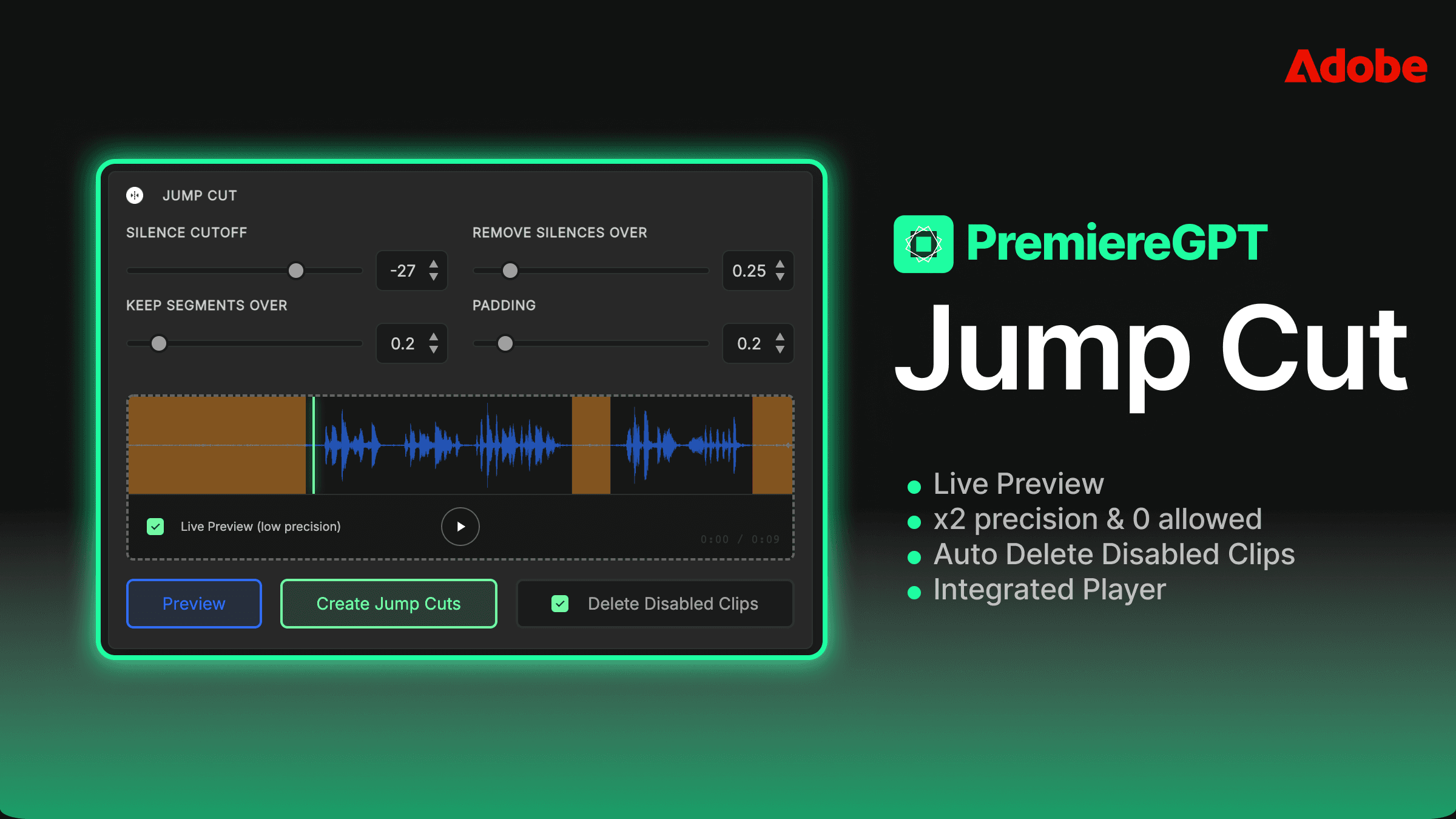
Cut silences and filler. Smart Silences removes dead air and "um/uh" in seconds, on a real timeline you can still tweak.
Remove bad takes. Claude Cut reads your script against the footage and deletes repetitions and flubbed takes — the task Claude is best at.
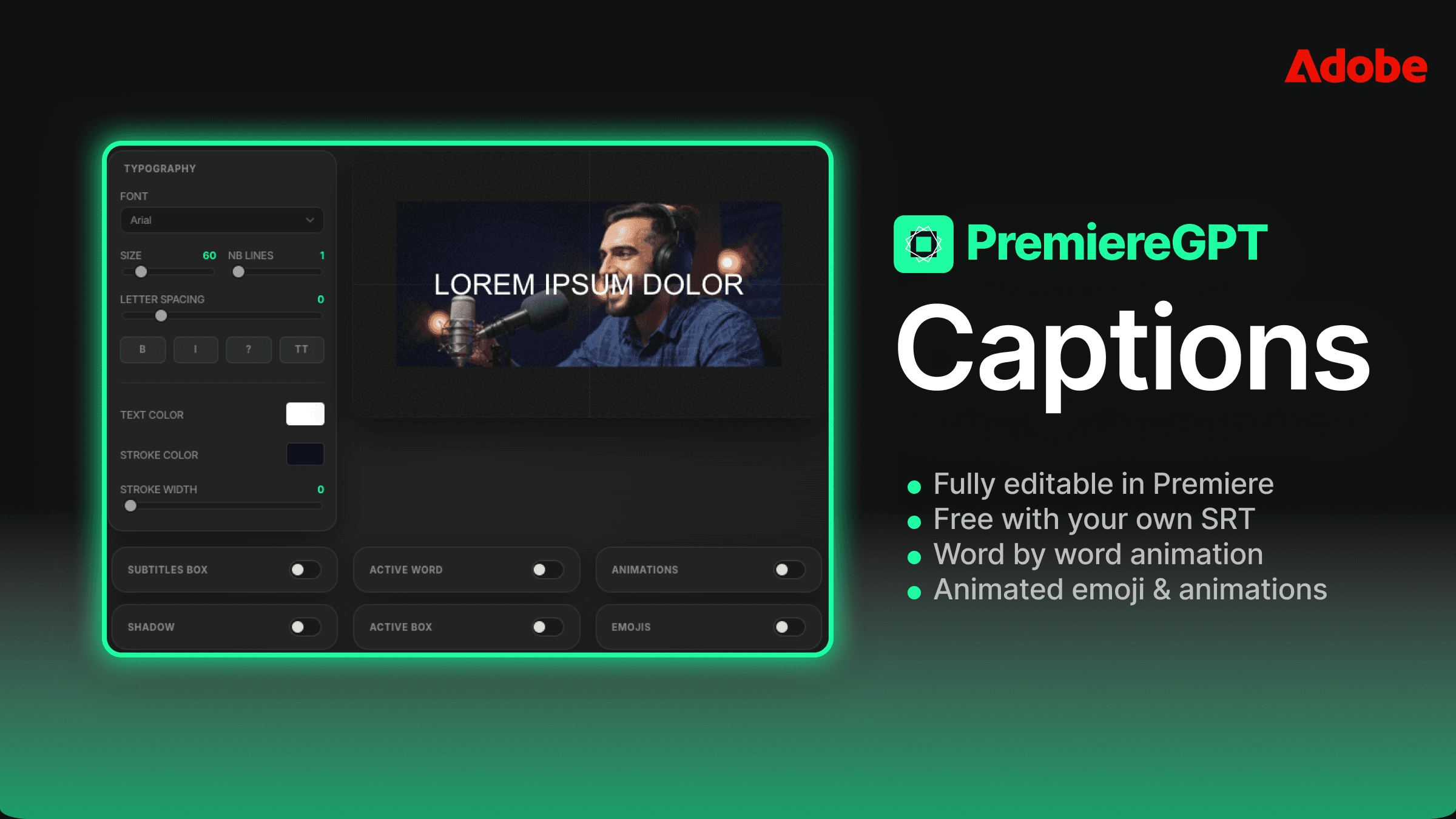
Caption everything. Smart Captions generates animated, word-by-word captions as native Premiere titles; Smart Subtitles adds spell-corrected SRT subtitles in 99 languages.
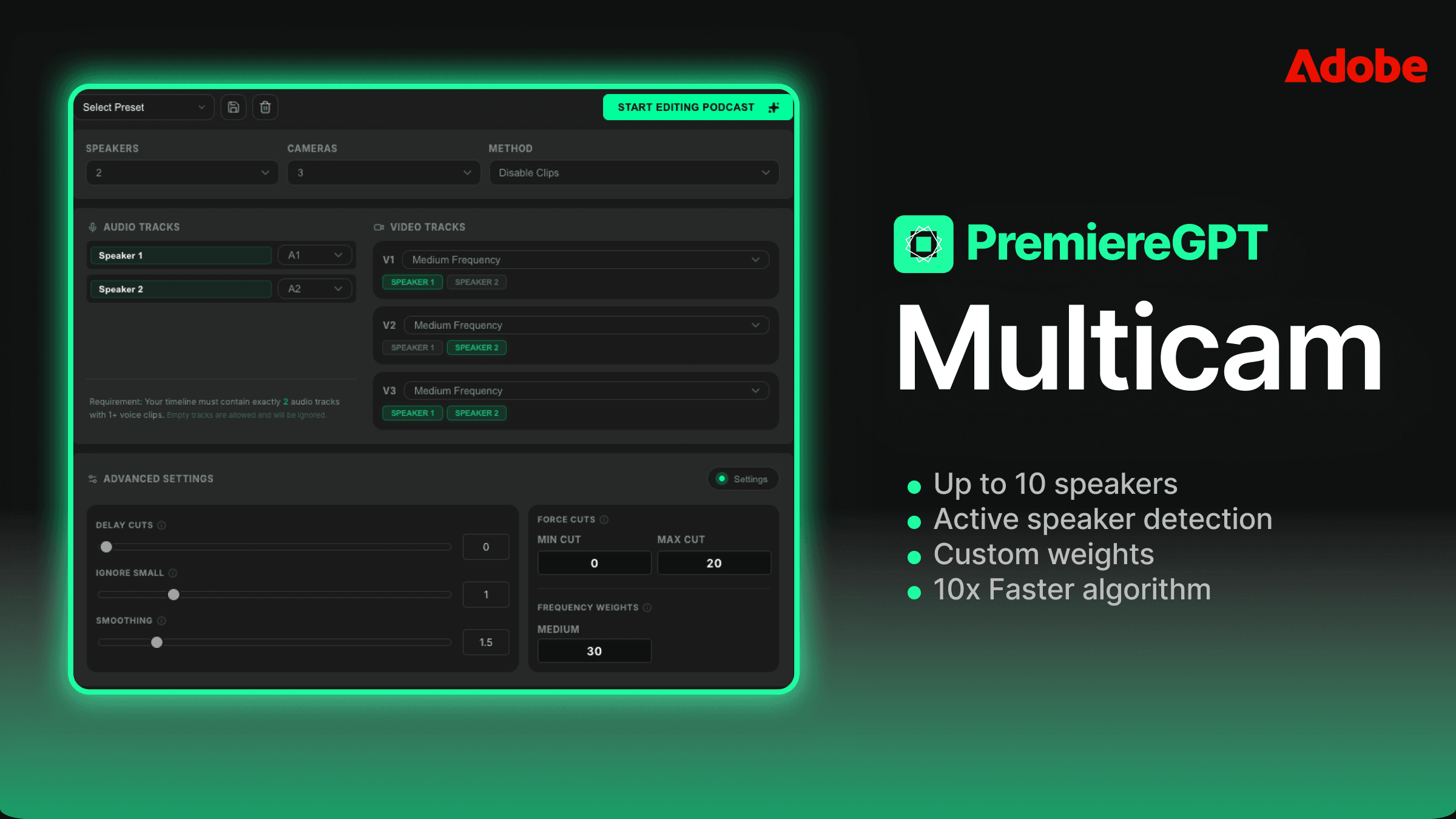
Edit multicam podcasts. Podcast Multicam detects the active speaker and cuts across up to 10 cameras automatically.
Make vertical clips. Smart Virals finds the highlights and builds 9:16 sequences — an Opus-Clip-style result, but inside Premiere.
Generate B-roll and motion. GenAI routes to Veo, Kling, Runway and more for AI B-roll; Vibe Motion builds motion design from a prompt with no After Effects round-trip.
The thread connecting all of these: the output is a real, editable Premiere timeline — not a flattened MP4 you have to accept as-is. Claude proposes, you stay the director.
Claude vs GPT vs Gemini in Premiere Pro: which model should you pick?
A native plugin lets you choose your AI model per project. Each has a personality. Here's how they line up for editing work.
Model | Strength for editing | Reach for it when |
Claude (Anthropic) | Careful instruction-following and nuanced script edits | Cutting takes, tightening dialogue, anything where "do exactly what I said" matters |
GPT (OpenAI) | Fast, fluent language and captioning | Grammar correction, punctuation, subtitle phrasing |
Gemini (Google) | Long-context reasoning over big projects | Long-form footage where the whole story needs to be held in view |
You don't have to commit. A common workflow is Claude for the structural cut, then GPT for the captions — switched with one click, no reinstall. If you only remember one rule: for claude in premiere pro-style precision edits, Claude is the safe pick.
Claude in Premiere Pro vs other AI plugins
Plenty of AI plugins exist for Premiere — AutoCut, AutoPod, Opus Clip, FireCut. The difference isn't subtle: most are single-purpose tools wired to one engine, and none of them let you choose Claude as the brain.
Single-tool plugins (AutoCut, AutoPod, Opus Clip…) | PremiereCopilot (Claude / GPT / Gemini) | |
Choose your AI model | ❌ Fixed engine | ✅ Claude, GPT, or Gemini per project |
Chat-to-edit the timeline | ❌ Buttons only | ✅ Plain-English prompts |
Scope | One job each (cut, or clip, or caption) | 12 tools in one plugin |
Output | Often a re-exported file | ✅ Native, undoable timeline edits |
Price | One subscription per tool | ✅ One plan from $7.99/mo, free tier |
If you want a deeper feature-by-feature look, see our roundup of the 7 essential Premiere Pro plugins for 2026.
Is Claude free in Premiere Pro? Pricing explained
You can start using Claude in Premiere Pro for free. PremiereCopilot has a free tier that covers core tools — silence cuts, captions, subtitles, multicam and more — with no time limit. The chat-to-edit Copilot and a few advanced tools sit on paid plans that start at $7.99/month, and the GenAI add-on is a one-time $24 lifetime unlock.
There's no separate Claude subscription to buy and no API key to manage for the standard workflow — the plugin handles the model access. See full pricing to match a plan to your workload.
Frequently asked questions
How do I add Claude to Premiere Pro?
Install a plugin that supports Claude — such as PremiereCopilot — then open its panel in Premiere and select Claude in the model picker. There's no built-in Claude option in Adobe Premiere Pro itself; a plugin provides the connection.
Can Claude edit videos in Premiere Pro on its own?
No. Claude is a language model with no direct access to Premiere. It needs a bridge — a native plugin or a custom MCP/UXP integration — to read your sequence and apply edits.
Is there a Claude Premiere Pro plugin?
Yes. PremiereCopilot is a native Premiere Pro plugin that runs on Claude (and optionally GPT or Gemini), letting you edit your timeline by chatting with Claude.
What is the Claude Premiere Pro MCP route?
MCP (Model Context Protocol) lets developers expose Premiere's UXP scripting as tools Claude can call. It's a code-it-yourself integration for engineers; most editors get the same result faster with a ready-made plugin.
Does using Claude in Premiere Pro require an API key?
For the standard PremiereCopilot workflow, no — model access is handled for you. Only the developer (MCP/UXP) route requires you to manage your own keys.
Which is better in Premiere Pro: Claude, GPT, or Gemini?
Claude excels at precise, instruction-following edits like cutting takes and tightening dialogue; GPT is great for captions and grammar; Gemini shines on long-context projects. A good plugin lets you switch per project.
What versions of Premiere Pro support Claude?
PremiereCopilot supports Adobe Premiere Pro 2022 and later, on both macOS (Intel and Apple Silicon) and Windows.
Are Claude's edits undoable?
Yes. Every change lands as a native Premiere timeline operation, so you can undo it with Cmd/Ctrl+Z or adjust it by hand like any other edit.
Conclusion: stop pasting transcripts — let Claude edit the timeline
The era of copying transcripts into a chatbot is over. In 2026, Claude in Premiere Pro means you describe the edit and Claude does it — directly, natively, and reversibly. The setup takes minutes, the free tier costs nothing, and you keep full control of every cut.
Download PremiereCopilot free and edit with Claude in your next project.