
up to 0
Capítulos por pasada. Tú decides el detalle.
Auto Chapters genera marcadores de capítulo estilo YouTube a partir de la voz dentro de Adobe Premiere Pro. Títulos MoGRT nativos, fuente, color y animación totalmente editables, 99 idiomas. Gratis.
Dile a PremiereCopilot cuántos capítulos quieres y en qué centrarte. Los genera como marcadores nativos de Premiere + una descripción de YouTube lista para pegar, con timestamps. Gratis.
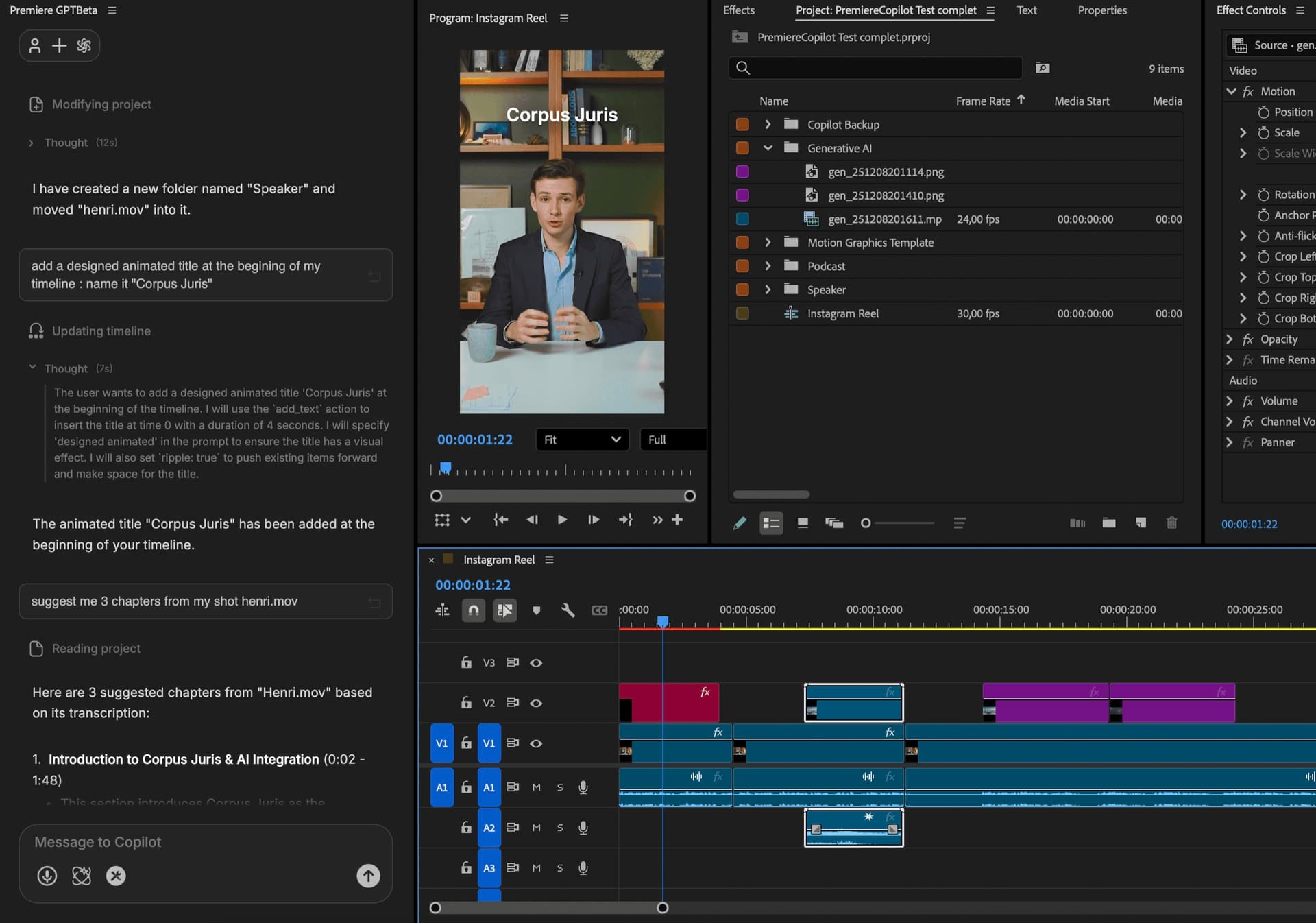
Cómo funciona
Prompt
Dile a PremiereCopilot de qué va el vídeo y cuántos capítulos quieres (hasta 40). Añade un enfoque si lo tienes («un capítulo por cambio de tema», «agrupa los pasos de configuración»).
Analiza
Audio transcrito, cambios de tema identificados, fronteras propuestas. Revisa la propuesta en el editor: renombra, fusiona, descarta, antes de generar.
Exporta
Los capítulos llegan como marcadores nativos de Premiere — visibles, exportados con el vídeo. Los mismos capítulos van formateados como descripción YouTube (timestamps + títulos) y copiados al portapapeles. Pega directo en YouTube.
Lo que viene incluido
Capítulos por pasada. Tú decides el detalle.
Gratis con cuota diaria. Pro+ a 7,99 €/mes.
Marcadores nativos de Premiere en tu timeline. Visibles, editables, exportados con el vídeo.
Timestamps + títulos formateados y copiados al portapapeles. Pega directo en YouTube, los capítulos aparecen en el player.
Marcadores nativos de Premiere. Edita, renombra, descarta.
Combina las demás
Prompts en lenguaje natural que editan tu timeline real.
Saber másMotion design generado a partir de un solo prompt.
Saber másCualquier modelo GenAI, nativo en Premiere. Por Fal.AI.
Saber másSubtítulos animados, palabra por palabra, en 99 idiomas.
Saber másDetección de interlocutor activo, multicam autocut.
Saber másDetecta los silencios y ajusta el montaje.
Saber másElimina malas tomas y repeticiones, sigue tu guion.
Saber másConvierte 1 h de contenido en 10 clips virales verticales.
Saber más0 faltas de ortografía. Corregidos con GPT-5, subtítulos nativos.
Saber más1 audio → una pista por interlocutor.
Saber másClips de zoom V2 según la emoción, generados.
Saber más
FAQ
Motion Graphics Template — un formato nativo de Premiere. Nuestros capítulos llegan como MoGRTs personalizables: fuente, color, animación, posición. Editables como cualquier título.
Sí. La salida incluye marcadores en el formato correcto para la detección automática de YouTube. Exporta, sube, los capítulos aparecen en el player.
La IA analiza el audio transcrito e identifica los cambios de tema. Puedes forzar cualquier frontera o renombrar antes de exportar.
Sí. Los MoGRTs son plantillas — fuente, curva de animación, colores, posición. Guarda tu diseño como preset.
Escribes un prompt («capítulos para este tutorial de Premiere»), click generar, capítulos en la timeline. Suele tardar menos de 2 minutos para un vídeo de 30 min.
Premiere Pro 2022 y posteriores, macOS (Intel + Apple Silicon) y Windows.