0–0
Clip की संख्या, आप तय करें। हर pass में 5 से 50 तक।
Smart Virals लंबे वीडियो को Adobe Premiere Pro के अंदर ही पोस्ट करने लायक 10 viral 9:16 clips में बदल देता है। emotion और pacing पर AI scoring, subject tracking, नेटिव editable sequences। फ्री।
Reels, TikTok, Shorts। AI clips को emotion, cut frequency या transcript keywords पर score करता है। 9:16 के लिए auto-reframe। फ्री। Opus Clip से बेहतर।
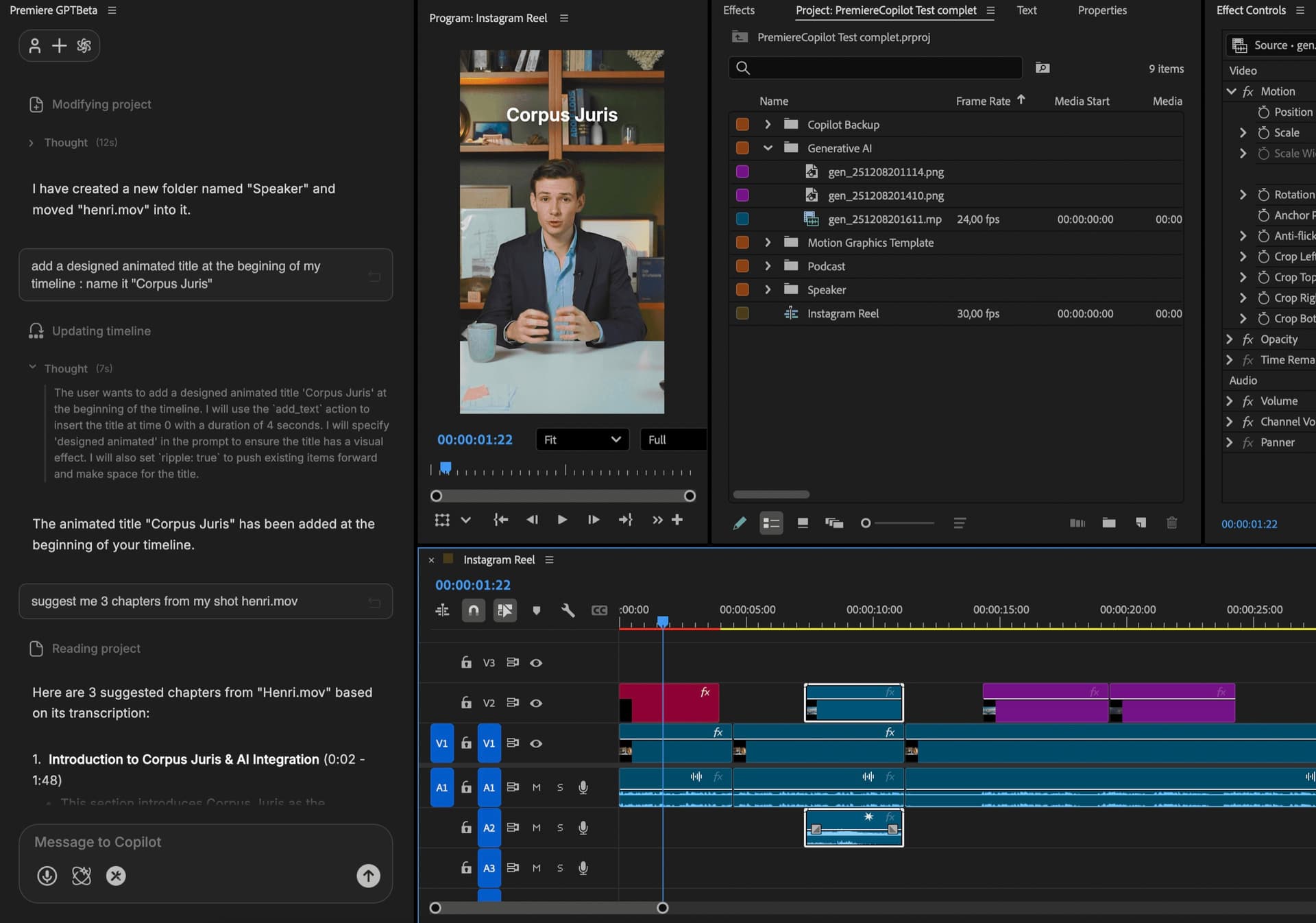
3 साल का हिसाब
 AutoCut AI$19.8/mo
 PremiereCopilotfree
यह कैसे काम करता है
Score
Emotion, cut frequency या transcription keywords। target duration सेट करें (15s, 30s, 60s, custom)। आप तय करें कितने clips (5, 10, 20, 50)। आप अपना model चुनें: Claude या Gemini, हर project के लिए।
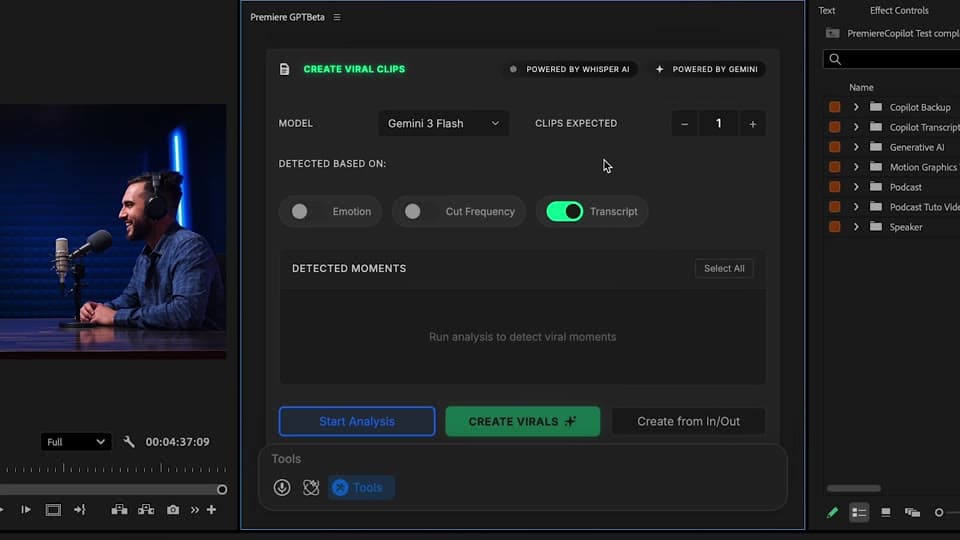
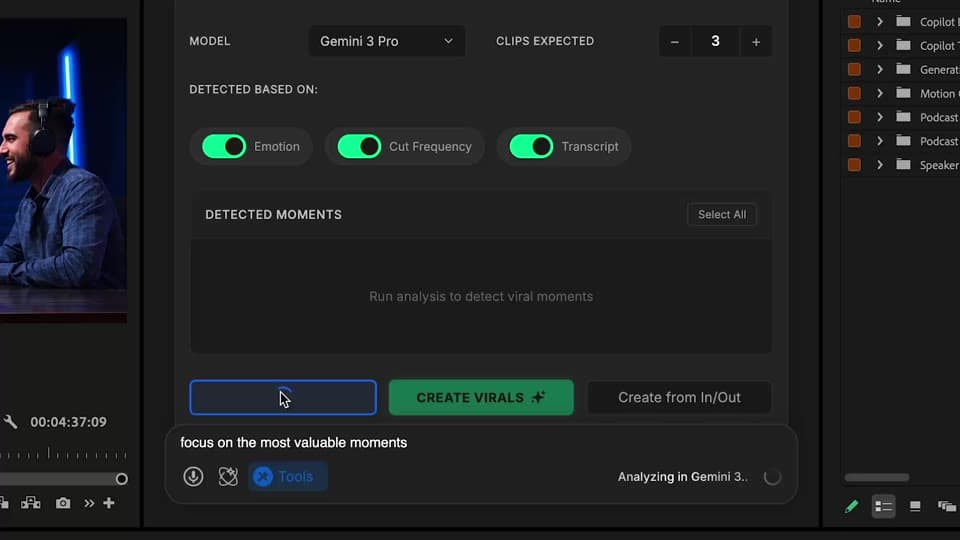
Review
हर clip viral score के साथ ranked। preview करें, accept करें, reject करें, फिर से generate करें। score weights tweak करें।
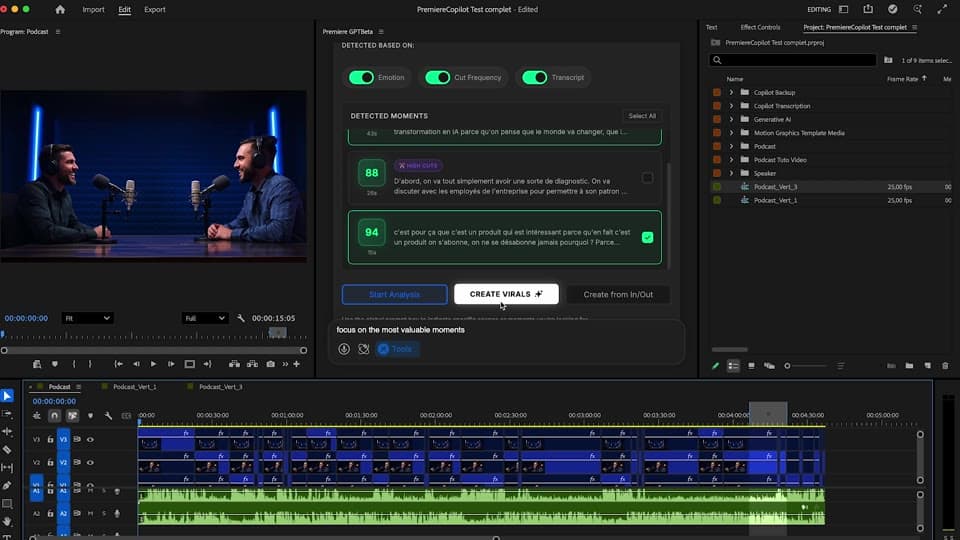
Reframe
subject tracking speaker को बीच में रखता है। हर clip Premiere में 16:9 और 9:16 दोनों sequences के रूप में आता है — पूरी तरह editable।
क्या मिलता है
Clip की संख्या, आप तय करें। हर pass में 5 से 50 तक।
रोज़ाना quota के साथ फ्री। Pro+ $7.99/महीना पर।
subject tracking के साथ auto-reframe। Reels के लिए तैयार।
Emotion, cut frequency, transcript keywords। Claude या Gemini की ताकत से, हर project में आपकी पसंद।
नेटिव sequences, पूरी तरह editable।
बाकी को जोड़ें
सादी अंग्रेज़ी के प्रॉम्प्ट जो आपकी असली टाइमलाइन एडिट करते हैं।
और जानेंएक ही प्रॉम्प्ट से जनरेट किया गया मोशन डिज़ाइन।
और जानेंकोई भी GenAI मॉडल, Premiere में नेटिव। Fal.AI द्वारा।
और जानें99 भाषाओं में शब्द-दर-शब्द, एनिमेटेड कैप्शन।
और जानेंसक्रिय स्पीकर डिटेक्शन, मल्टीकैम ऑटोकट।
और जानेंसाइलेंस को अपने आप पहचानें और एडिट को कसें।
और जानेंखराब टेक और दोहराव हटाता है, आपकी स्क्रिप्ट का पालन करता है।
और जानें0 वर्तनी की गलतियाँ। GPT-5 से सुधारे गए, नेटिव सबटाइटल।
और जानेंएक ही प्रॉम्प्ट से एनिमेटेड MoGRT चैप्टर।
और जानें1 ऑडियो → स्पीकर-दर-स्पीकर ट्रैक।
और जानेंभावना-आधारित V2 ज़ूम क्लिप, जनरेट किए गए।
और जानें
FAQ
Opus Clip आपके वीडियो को नई file के रूप में फिर से export करता है। Smart Virals Premiere के अंदर ही चलता है और हर clip को नेटिव sequence के रूप में देता है — पूरी तरह editable। Opus के $20+/महीना के मुकाबले फ्री।
तीन विकल्प: emotion (उत्साह, हैरानी, हंसी), cut frequency (action की density) या transcription keywords (आपका topic)। बेहतर नतीजों के लिए इन्हें मिलाएं।
हां। target duration (15s, 30s, 60s या custom), clip संख्या (5, 10, 20) सेट करें और AI clips को उसी हिसाब से fit करता है।
हां। subject tracking के साथ auto-reframe इसमें मौजूद है। हर clip आपकी timeline में 16:9 और 9:16 दोनों में आता है।
हर project के लिए Claude या Gemini चुनें। अलग models, अलग scoring biases — अपने content के हिसाब से try करें।
Premiere Pro 2022 और उसके बाद के, macOS (Intel + Apple Silicon) और Windows पर।