0×
AutoCut से तेज़। वही precision।
Smart Silences आपके Adobe Premiere Pro के अंदर के silence और रुकावटों को पहचानकर हटाता है। AutoCut से 10× तेज़, custom threshold, live preview, आपकी असली timeline पर native और undo होने वाली edits। मुफ्त।
Custom threshold, live preview, AutoCut से 10× तेज़। मुफ्त, Premiere में native, cloud पर ज़ीरो upload।
मुफ्त · 10× तेज़ · Local processing
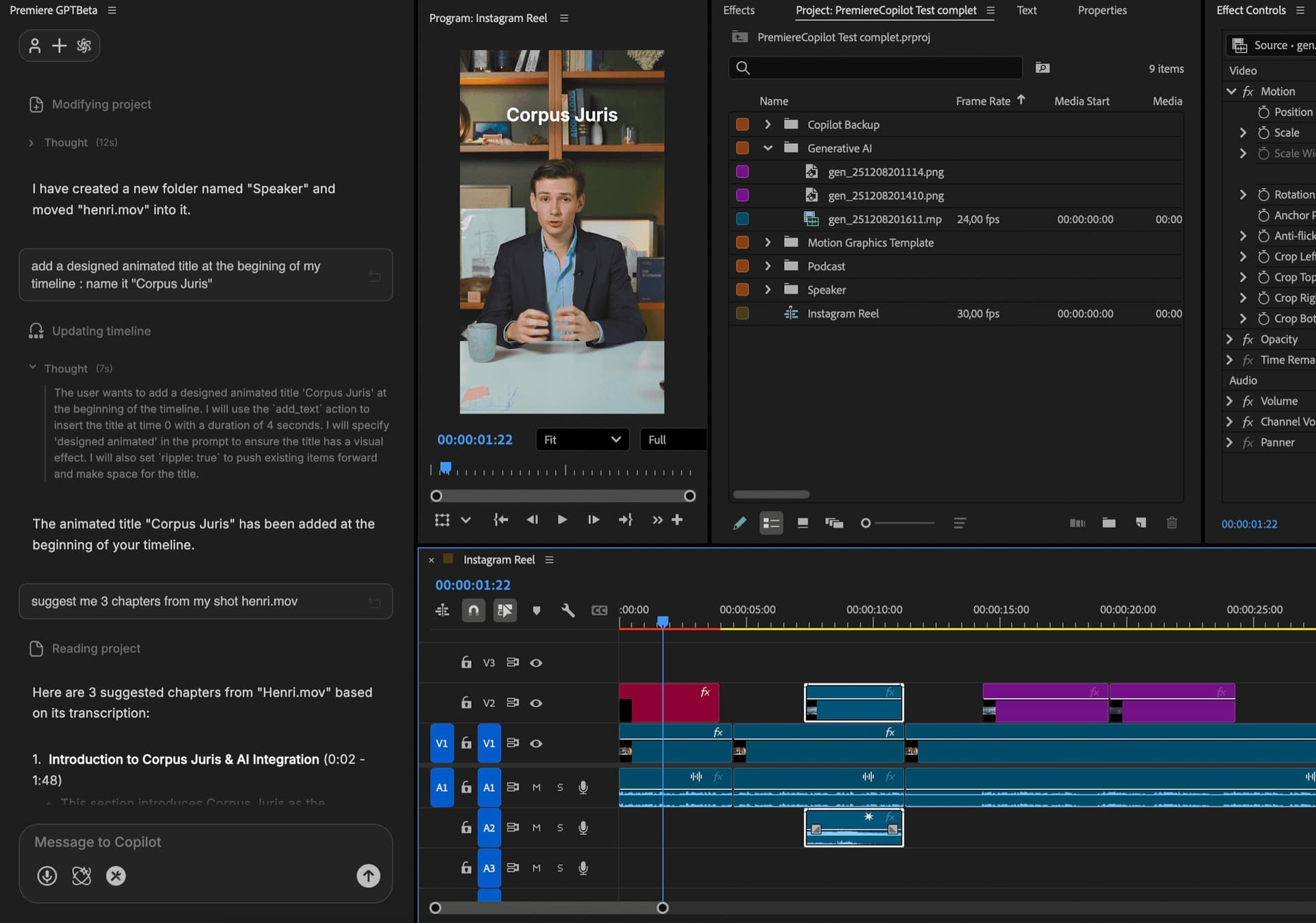
3 साल का हिसाब
 AutoPod$29/mo
 AutoCut AI$19.8/mo
 PremiereCopilotfreePremiereCopilot · Bundlelifetime
यह कैसे काम करता है
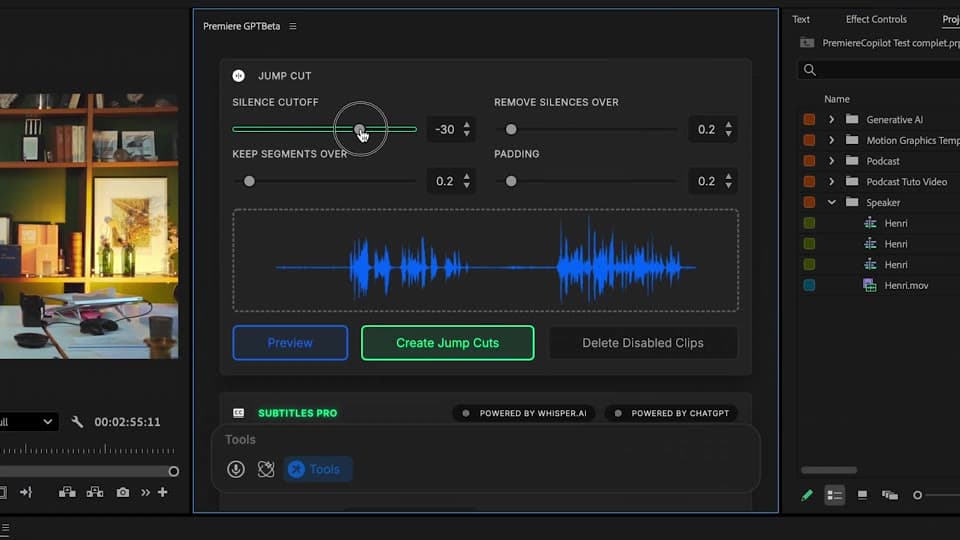
Analyze
कोई threshold सेट नहीं करना, कोई decibel knob नहीं। PremiereCopilot अपनी 2nd-generation voice detection से कुछ ही सेकंड में आपकी audio को scan करता है। चाहें तो padding (हर cut के आसपास छोड़ा जाने वाला silence) और voice-detection sensitivity को fine-tune कर सकते हैं।
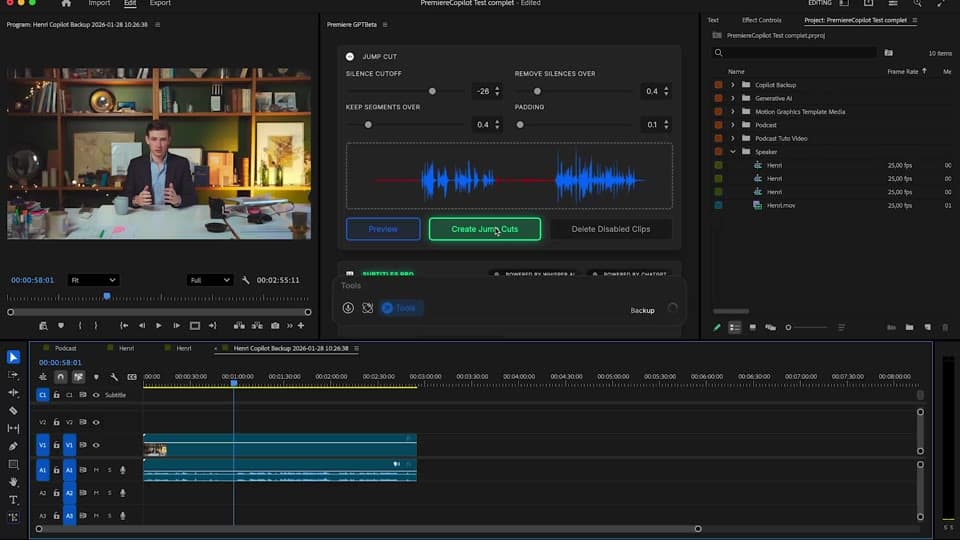
Preview
confirm करने से पहले एक integrated player आपकी timeline पर प्रस्तावित cuts दिखाता है। padding या sensitivity फिर से बदलें, millisecond में दोबारा preview करें। किसी भी silence-removal tool में सबसे तेज़ iteration loop।
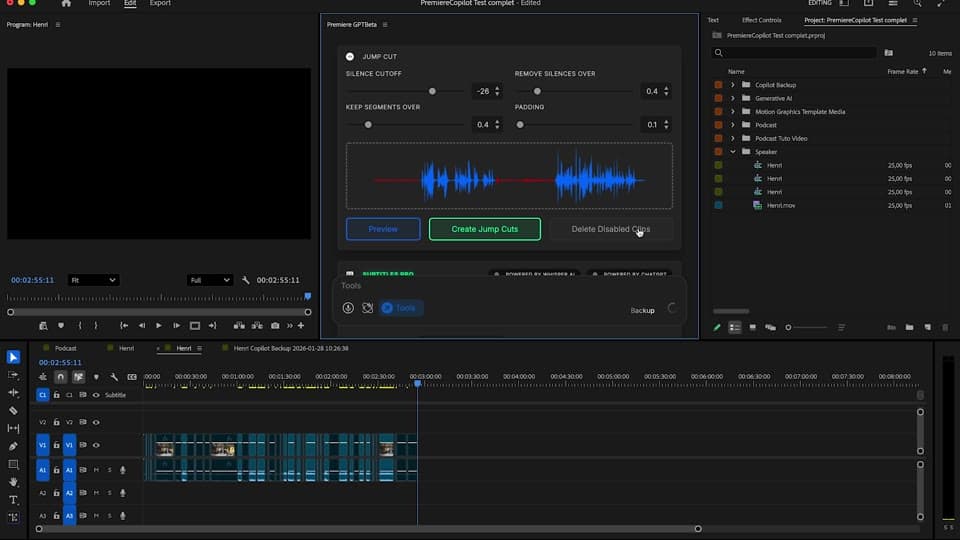
Apply
Cuts आपकी असली timeline पर native Premiere edits के रूप में आते हैं। cmd+Z से undo, slip, ripple, कोई भी cut override करें। कोई re-render नहीं, कोई proxy नहीं, आपका project आपका ही रहता है।
क्या मिलता है
AutoCut से तेज़। वही precision।
मुफ्त, या Podcast & Jump Cut bundle में $59 lifetime।
100% local processing। आपकी audio कभी आपकी machine से बाहर नहीं जाती।
confirm करने से पहले देखें कि क्या कटेगा। padding और sensitivity को millisecond में iterate करें।
असली Premiere cuts। Undo। Slip। Ripple।
बाकी को जोड़ें
सादी अंग्रेज़ी के प्रॉम्प्ट जो आपकी असली टाइमलाइन एडिट करते हैं।
और जानेंएक ही प्रॉम्प्ट से जनरेट किया गया मोशन डिज़ाइन।
और जानेंकोई भी GenAI मॉडल, Premiere में नेटिव। Fal.AI द्वारा।
और जानें99 भाषाओं में शब्द-दर-शब्द, एनिमेटेड कैप्शन।
और जानेंसक्रिय स्पीकर डिटेक्शन, मल्टीकैम ऑटोकट।
और जानेंखराब टेक और दोहराव हटाता है, आपकी स्क्रिप्ट का पालन करता है।
और जानें1 घंटे के कंटेंट को 10 वर्टिकल वायरल क्लिप में बदलें।
और जानें0 वर्तनी की गलतियाँ। GPT-5 से सुधारे गए, नेटिव सबटाइटल।
और जानेंएक ही प्रॉम्प्ट से एनिमेटेड MoGRT चैप्टर।
और जानें1 ऑडियो → स्पीकर-दर-स्पीकर ट्रैक।
और जानेंभावना-आधारित V2 ज़ूम क्लिप, जनरेट किए गए।
और जानें
FAQ
काम वही, engine अलग। हमारा 2nd-generation algorithm 10× तेज़ है और मुफ्त plan पर रोज़ाना बड़े quota के साथ चलता है। AutoCut $19.80/महीना लेता है; हमारे साथ यह मुफ्त है या $59 lifetime।
हाँ। integrated player के साथ live preview: आप बिलकुल देखते हैं कि timeline कैसी दिखेगी। threshold, min keep, padding बदलें, millisecond में दोबारा preview करें।
नहीं। silence detection आपके computer पर locally चलती है। cloud पर ज़ीरो upload, पूरी privacy।
बिलकुल। हर cut आपकी timeline पर असली Premiere edit है। cmd+Z काम करता है। slip और ripple काम करते हैं। कोई proxy नहीं, कोई re-render नहीं।
min-keep (बनाए रखने की न्यूनतम अवधि) और padding (हर cut के आसपास छोड़ा जाने वाला silence) को अपनी style के हिसाब से सेट करें। preset के रूप में सेव करें।
Premiere Pro 2022 और उसके बाद के versions, macOS (Intel + Apple Silicon) और Windows पर।